New Features
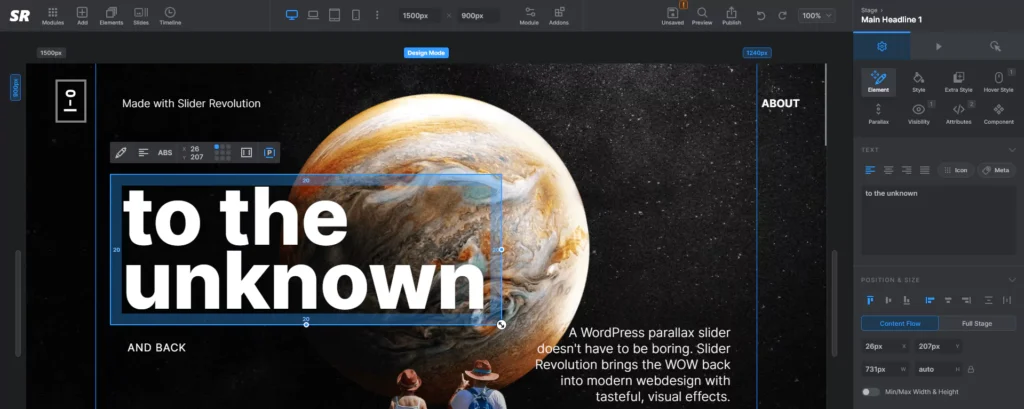
- Smart Spacing Guides: equal-spacing detection while dragging layers – gap rulers with pixel labels show when a layer has the same distance to its neighbours or repeats a sibling gap, with optional snapping (configurable in Global Settings)
- Arrange toolbar for multi-selections: align left / center / right / top / middle / bottom, distribute horizontally or vertically with equal gaps, and one-click Row, Column and Grid layouts
- Stage Zoom: zoom the editor stage in and out for precise editing, with a zoom hint that can be re-shown on demand
- Timeline Zoom for fine-grained keyframe editing on long animations
- Keyboard Shortcuts list: a quick reference of all editor shortcuts
- Custom Shape Builder: create parametric, generative shape layers (blobs, waves and more) directly in the editor, including a reusable Custom Shape symbol
- Layer Interactions: new cursor-driven effects for any layer – Magnetic, Attract, Repel, Squeeze and Tilt – that compose with existing animations
- RTL Support for the backend: the editor, dashboard, popups and panels now mirror correctly on RTL WordPress installs, plus a Use Editor in LTR Mode global setting to keep the default layout while the admin stays RTL
- Move to Folder: organise modules from the dashboard via a new Move to Folder function
- Grouped Add-Ons: Slider Revolution add-ons are now grouped behind a single Slider Revolution Add-ons view in the WP plugins list instead of cluttering it – add-ons with pending updates stay visible, and the behavior can be disabled in Global Settings → System
- Added the ability to import multiple slides at once from other modules
- Liquid Glass: a frosted backdrop-blur glass effect for layers, with blur and intensity controls (Extra Style)
- Progressive Blur: gradient (iOS-style) blur that ramps along a direction – as a backdrop overlay or on image content, with direction, max blur, fade and tint controls (Extra Style)
- Custom Font Upload: upload your own font files (WOFF2, WOFF, TTF, OTF) in Global Settings – Fonts, with automatic weight and style detection and generated font-face CSS, so no manual hosting is needed
- Image Editor: edit layer and background images right in the editor – crop, rotate, flip, light – colour adjustments, curves, blur and filters, plus saveable presets – the result is stored in the Media Library as a new image and applied to the layer
Bugfixes
- Improved layer toolbar click reliability: icons no longer swallow clicks, the toolbar stays in place during consecutive actions, and toolbar presses can no longer trigger an unintended layer drag
- Fixed shape presets, compiler handling and preloading for shape layers
- RTL: fixed dashboard toolbar spacing and notification badge, the layer list panel, and dropdown arrows overlapping their labels
- Fixed the Check for Add-On Updates feature when used from the Editor
- Show “No Title” for page selection options that do not have a title
- Fixed a JavaScript error in the calendar control when used on the Overview page
- Fixed carousel videos failing to autoplay on mobile (muted before autoplay)
- Fixed modals reopening on the wrong slide when the trigger’s target slide is not part of the modal
- Fixed full-height layers rendering at zero height on slow editor loads (e.g. WebGL effect layers staying blank until a slide swap)
- Fixed a 500 error when editing pages in Gutenberg, Elementor, Divi, Avada, WPBakery and BeBuilder caused by an asset-timestamp call
- Fixed the editor occasionally getting stuck on Loading Editor Resources on slow connections
- Fixed slides occasionally getting stuck while preparing (no drawing or animations) on slow loads with WebGL effects
- Fixed rapid navigation clicks being dropped when triggered in quick succession
- Fixed add-ons and effects not re-initializing after Ajax / PJAX page navigation
- Accessibility: interactive link and button layers are no longer left hidden from screen readers
- Fixed the dashboard module list loading duplicate entries (and a possible divide-by-zero) on large libraries
- Added SVG sanitization for media uploaded through Slider Revolution
- Module registration errors no longer silently stop the remaining modules on a page from loading
- Fixed a module rendering error caused by Scroll-Based Timeline being enabled for autoplay and multi-slide modules
- Fixed the incorrect navigation style displayed in the Editor when navigation is enabled for the first time
- Fixed Cross Site Scripting vulnerability due to unprotected message content
- Fixed the editor freezing when selecting or adding a layer with the Layers list open
- Fixed Google Fonts not loading (stylesheet MIME type error) when font caching/download was enabled
- Unified the add-on framework so add-ons share one registration, update and resource system; fixed add-on stylesheets not loading on the front end or being left out of HTML exports, and prevented some add-ons from loading their assets twice
Changes
- Dashboard folder listing can now be sorted by Most Recent and by Date
- Extended preset support for add-ons and made the Position and Size panel aware of add-on driven changes
- Eliminated unnecessary re-authentication requests in the Select Module modal for builder integrations
- New Force Swipe over Effects navigation option (Touch settings, off by default): when enabled a horizontal swipe over a WebGL/effect layer changes slides instead of being captured by the effect
- Module imports now include add-on media – add-on file types such as Lottie (.json) and DepthForge (.glb) are allowed
- Reworked the add-on framework for better stability and performance when running several add-ons or WebGL effects together: a shared WebGL rendering budget prevents browser context limits, with unified add-on registration and settings handling
- Updated the bundled 3D / WebGL engine to Three.js r184
- Added an Edit Image pen to the layer toolbar for image layers and image shapes, opening the Image Editor directly