Scroll Actions
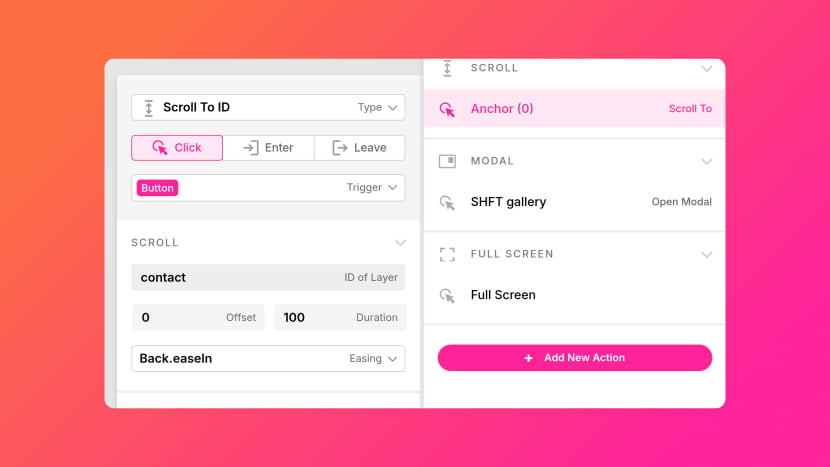
UI Navigation Map: Scroll actions

In the Right Sidebar click the Action icon to enter Action Mode, click Add New Action, then in the Action Settings Panel open the Type dropdown and choose an action from the Scroll group:
- Scroll Actions
- Scroll To ID Panel
- Type
- Event
- Trigger
- Scroll Section
- ID of Layer
- Offset
- Duration
- Easing
- Timing Section
- Delay
- Next Delay
- Scroll Below Module Panel
- Type
- Event
- Trigger
- Scroll Section
- ID of Layer
- Offset
- Duration
- Easing
- Timing Section
- Delay
- Next Delay
- Scroll To ID Panel
An action makes something happen when a visitor interacts with a layer, such as a click on a button. Actions are set up in Action Mode, one of the three modes of the Module Editor's Right Sidebar.
The Scroll actions scroll the web page that contains the module, with a smooth, timed movement. Scroll To ID scrolls to a chosen layer or page element. Scroll Below Module scrolls to the content that follows the module, as a scroll down button does.
This article covers the two Scroll actions and every setting in their panels.
To set one up, go to the Module Editor and click the Action icon 1 in the Mode Switcher of the Right Sidebar to enter Action Mode.
Then click Add New Action 2, which opens the Action Settings Panel.
Open the Type dropdown 3 and choose an action from the Scroll group.
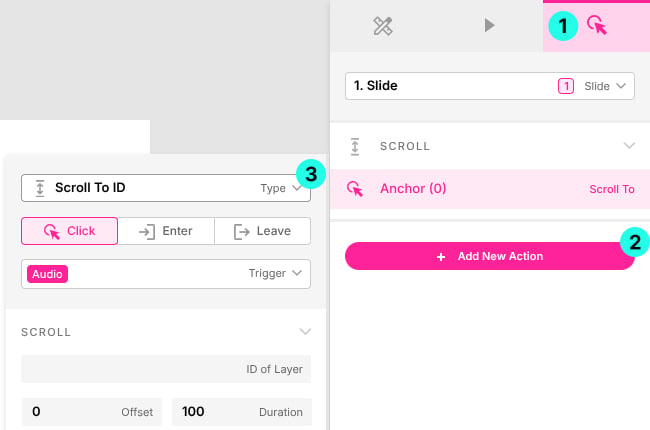
An action is added to the slide shown in the editor, and runs from the layers chosen in its Trigger.
Scroll To ID Panel
The Scroll To ID panel configures which element the page scrolls to, and how the scroll moves. The page scrolls until the top edge of that element reaches the top of the browser window.
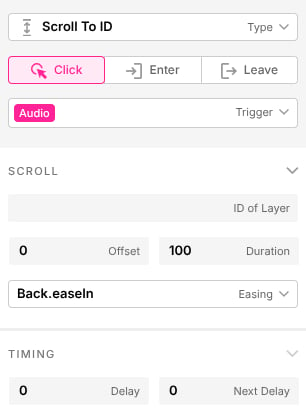
Type (Dropdown)
Sets which action is performed when the trigger fires. Choosing Scroll To ID from the Scroll group of the list gives this panel.

Event (Tab Select)
Sets which visitor interaction with the trigger layers scrolls the page.

Options:
- Click: Scrolls the page when a trigger layer is clicked or tapped.
- Enter: Scrolls the page when the pointer moves over a trigger layer.
- Leave: Scrolls the page when the pointer moves off a trigger layer.
Trigger (Multi-select)
Selects the layer or layers that scroll the page. The list is searchable, and any number of the current slide's layers can be selected.

Scroll Section (Expander)
In the Scroll section set the element to scroll to, where the scroll stops relative to it, and how fast and with which easing the page moves.
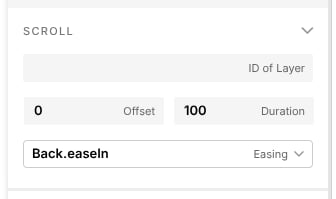
ID of Layer (Text)
Setting Visibility
- Visible when Scroll section is expanded.
- Hidden when Scroll section is collapsed.
Sets the ID of the layer or page element the page scrolls to. The ID can be entered with or without a leading #.
A layer's ID is set with ID in the Attributes Panel. Any other element on the page with an id attribute can be the target too.

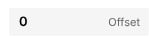
Offset (Number, pixels)
Setting Visibility
- Visible when Scroll section is expanded.
- Hidden when Scroll section is collapsed.
Moves the point the scroll ends at. A positive value scrolls further down, past the target, and a negative value stops above it.
For example, -80 leaves the target 80 pixels below the top of the window, clear of a fixed header 80 pixels tall.
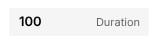
Duration (Number, milliseconds)
Setting Visibility
- Visible when Scroll section is expanded.
- Hidden when Scroll section is collapsed.
Sets how long the scroll takes to complete.
Easing (Dropdown)
Setting Visibility
- Visible when Scroll section is expanded.
- Hidden when Scroll section is collapsed.
Sets the easing curve applied to the scroll, which controls how it accelerates and decelerates over its duration.

Options:
- Back.easeIn
- Back.easeOut
- Back.easeInOut
- Bounce.easeIn
- Bounce.easeOut
- Bounce.easeInOut
- Circ.easeIn
- Circ.easeOut
- Circ.easeInOut
- Cubic.easeIn
- Cubic.easeOut
- Cubic.easeInOut
- Elastic.easeIn
- Elastic.easeOut
- Elastic.easeInOut
- Expo.easeIn
- Expo.easeOut
- Expo.easeInOut
- Linear
- Power0.easeIn
- Power0.easeOut
- Power0.easeInOut
- Power1.easeIn
- Power1.easeOut
- Power1.easeInOut
- Power2.easeIn
- Power2.easeOut
- Power2.easeInOut
- Power3.easeIn
- Power3.easeOut
- Power3.easeInOut
- Power4.easeIn
- Power4.easeOut
- Power4.easeInOut
- QIcons.easeIn
- QIcons.easeOut
- QIcons.easeInOut
- Quad.easeIn
- Quad.easeOut
- Quad.easeInOut
- Quart.easeIn
- Quart.easeOut
- Quart.easeInOut
- Quint.easeIn
- Quint.easeOut
- Quint.easeInOut
- Sine.easeIn
- Sine.easeOut
- Sine.easeInOut
- Strong.easeIn
- Strong.easeOut
- Strong.easeInOut
- Late
- Late2
- Late3
Timing Section (Expander)
In the Timing section set the pauses that surround the action, so that a sequence of actions can be staggered rather than all firing at once.
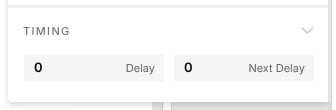
Delay (Number, milliseconds)
Setting Visibility
- Visible when Timing section is expanded.
- Hidden when Timing section is collapsed.
Sets how long to wait after the event fires before the page scrolls. A value of 0 runs it immediately.
Next Delay (Number, milliseconds)
Setting Visibility
- Visible when Timing section is expanded.
- Hidden when Timing section is collapsed.
Sets a pause measured from this action, before the next action on the same trigger runs.
Scroll Below Module Panel
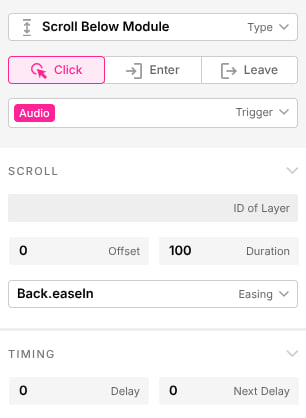
The Scroll Below Module panel configures a scroll to the content below the module, and how the scroll moves. The page scrolls until the bottom edge of the module reaches the top of the browser window.
Type (Dropdown)
Sets which action is performed when the trigger fires. Choosing Scroll Below Module from the Scroll group of the list gives this panel.

Event (Tab Select)
Sets which visitor interaction with the trigger layers scrolls the page.

Options:
- Click: Scrolls the page when a trigger layer is clicked or tapped.
- Enter: Scrolls the page when the pointer moves over a trigger layer.
- Leave: Scrolls the page when the pointer moves off a trigger layer.
Trigger (Multi-select)
Selects the layer or layers that scroll the page. The list is searchable, and any number of the current slide's layers can be selected.

Scroll Section (Expander)
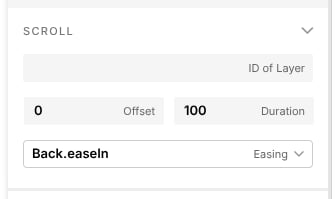
In the Scroll section set where the scroll stops relative to the bottom edge of the module, and how fast and with which easing the page moves.
ID of Layer (Text)
Setting Visibility
- Visible when Scroll section is expanded.
- Hidden when Scroll section is collapsed.
Not used by Scroll Below Module, which always scrolls to the bottom edge of the module.

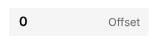
Offset (Number, pixels)
Setting Visibility
- Visible when Scroll section is expanded.
- Hidden when Scroll section is collapsed.
Moves the point the scroll ends at. A positive value scrolls further down, past the bottom edge of the module, and a negative value stops above it.
For example, -80 leaves the bottom edge of the module 80 pixels below the top of the window, clear of a fixed header 80 pixels tall.
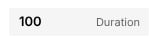
Duration (Number, milliseconds)
Setting Visibility
- Visible when Scroll section is expanded.
- Hidden when Scroll section is collapsed.
Sets how long the scroll takes to complete.
Easing (Dropdown)
Setting Visibility
- Visible when Scroll section is expanded.
- Hidden when Scroll section is collapsed.
Sets the easing curve applied to the scroll, which controls how it accelerates and decelerates over its duration.

Options:
- Back.easeIn
- Back.easeOut
- Back.easeInOut
- Bounce.easeIn
- Bounce.easeOut
- Bounce.easeInOut
- Circ.easeIn
- Circ.easeOut
- Circ.easeInOut
- Cubic.easeIn
- Cubic.easeOut
- Cubic.easeInOut
- Elastic.easeIn
- Elastic.easeOut
- Elastic.easeInOut
- Expo.easeIn
- Expo.easeOut
- Expo.easeInOut
- Linear
- Power0.easeIn
- Power0.easeOut
- Power0.easeInOut
- Power1.easeIn
- Power1.easeOut
- Power1.easeInOut
- Power2.easeIn
- Power2.easeOut
- Power2.easeInOut
- Power3.easeIn
- Power3.easeOut
- Power3.easeInOut
- Power4.easeIn
- Power4.easeOut
- Power4.easeInOut
- QIcons.easeIn
- QIcons.easeOut
- QIcons.easeInOut
- Quad.easeIn
- Quad.easeOut
- Quad.easeInOut
- Quart.easeIn
- Quart.easeOut
- Quart.easeInOut
- Quint.easeIn
- Quint.easeOut
- Quint.easeInOut
- Sine.easeIn
- Sine.easeOut
- Sine.easeInOut
- Strong.easeIn
- Strong.easeOut
- Strong.easeInOut
- Late
- Late2
- Late3
Timing Section (Expander)
In the Timing section set the pauses that surround the action, so that a sequence of actions can be staggered rather than all firing at once.
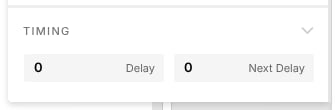
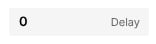
Delay (Number, milliseconds)
Setting Visibility
- Visible when Timing section is expanded.
- Hidden when Timing section is collapsed.
Sets how long to wait after the event fires before the page scrolls. A value of 0 runs it immediately.
Next Delay (Number, milliseconds)
Setting Visibility
- Visible when Timing section is expanded.
- Hidden when Timing section is collapsed.
Sets a pause measured from this action, before the next action on the same trigger runs.