






Why Should You
Use This Slider Revolution Template?
We’ll give you 3 very good reasons…
Instantly Captures Visitors’ Attention
Half of the battle in getting people to engage with your website lies in getting them to stop and pay attention to your content. Your visitors aren’t likely to encounter websites that use a cool slider like this one, so consider the battle won.Customizations As Easy As 1-2-3
You might be looking at this Slider Revolution template and wondering how the heck you’re going to repurpose it for your needs. Don’t worry. Whether you want to edit the logo, change the images, or add new text to the sliders, it can easily be done within minutes.Highlight What Makes The Difference
The image comparison slider template for Slider Revolution is a new powerful tool in your arsenal to capture your website visitors attention. It's not just for showing the difference between two images, but it can also seamlessly transition between two content levels with a draggable slider.Slider Revolution Hero, Slider, Special FX Template
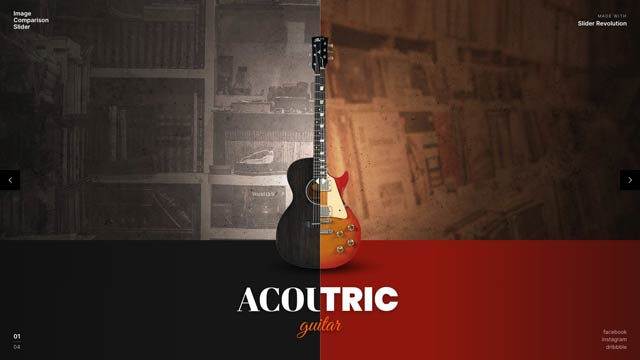
Image Comparison Slider
Create amazing before and after animations for your website with the image comparison slider template. We made sure to include multiple exciting examples for you to customize to your liking.
Slider Revolution Templates Are
100%
Responsive
We designed the Image Comparison Slider to look good no matter what device your visitors are on.
We’ve also given you an easy-to-use responsive editor that allows you to edit and preview your Slider Revolution module from different views.
Image Comparison Slider: A New Perspective
Introducing the Image Comparison Slider, a tool that offers a new perspective on your content. This before/after image slider online free tool allows you to seamlessly transition between two content levels, creating amazing before and after animations. Highlight the difference and capture your website visitors' attention with the image comparison slider.
Image-Compare-Viewer: The Image Comparison Slider
The Image Comparison Slider isn't just for showing the difference between two images. It's an image-compare-viewer that allows you to create dynamic and interactive content for your website. With multiple exciting examples included, you can customize the slider to your liking and truly make it your own.
Compare Two Images for Similarity with Image Comparison Slider
The Image Comparison Slider is more than just a tool for comparison. It's a way to compare two images for similarity, creating a dynamic and engaging experience for your website visitors. With the Image Comparison Slider, you can create a unique and interactive experience that truly stands out.
There’s More
To This Template Than What You Can See
It’s not just a beautifully designed slider or jaw-dropping animations that make this template — or any of Slider Revolution’s 250+ templates — special.
Compatibility
This slider template is compatible with popular WordPress plugins — like WooCommerce — so you have a ton of flexibility and control over what you can do with it.Support
Slider Revolution comes with dedicated 1-on-1 VIP support. If you run into any problems with the plugin, website or slider templates, our tech wizards will help resolve your issues ASAP.Speed
Page loading speeds can significantly impact how well your website ranks. That’s why all of our templates are built for speed. If you want to give them an extra boost, our optimization guide will show you how to optimize them further.Get The Most
Out Of This Slider Template
Our in-depth resources will provide you with knowledge and instant solutions.
Check out our comprehensive beginners guide to installing templates.
Our user manual starts with installing and registering Slider Revolution. From there, you will learn everything you need to know in order to work with the editor.
Whether you are a new or advanced user, you will surely get some knowledge out of our manual.
Learn how to edit text, links and images:
Basic Module Editing Guide
Learn how to swap videos & customize colors:
Intermediate Template Editing Guide
The fundamentals of animation in Slider Revolution:
Animation Fundamentals
Instantly find solutions to the most commmon issues and follow in-depth tutorials:
FAQs & Tutorials
Watch practical, step-by-step exercises in our video guides section:
Video Guides




From The Blog
Creative CSS Link Styles Examples for Eye-Catching Sites
ResourcesCSS Ripple Effect Examples for Modern Websites
ResourcesHow to Create an Employee Spotlight Presentation Using a Website Slider [Tutorial]
TutorialsPopular Resources
Optimizing Load Speed and Performance
FAQQuick Setup – Slider Revolution
FAQCreate a Basic Responsive Slider
Video TutorialGet Productive Fast
ManualNewsletter

Join over 35.000 others on the Slider Revolution email list to get access to the latest news and exclusive content.