WordPress Image Carousel With Instagram Feed

Scroll-driven storytelling for performing arts schools. Watch the entire narrative unfold.

Curtain Call is built with Slider Revolution’s
@sliderrevolution
Split screen slider with hover morph reveals. Built for infrastructure portfolios.

Dual-image composition transforms as you interact. Smooth
@sliderrevolution
Personal trainer sites that scroll like a transformation documentary.

Ironhaus opens with a full-screen before/after physique reveal, then
@sliderrevolution
Portrait to X-ray on hover. Watch what happens. 🩻

ReMotion is a futuristic medical hero template for WordPress.
@sliderrevolution
Drag it. Spin it. Watch it come alive in 3D.

DepthForge is our new 3D slider template for
@sliderrevolution
Ten interactive 3D carousels you can drag with your mouse. 🎬

Watch curved paths bend through perspective, stacked
@sliderrevolution
Carousels that feel like magazine spreads. Floating stacks, smooth rotations, editorial strips.

This pack brings eight carousel templates
@sliderrevolution
Six hero section templates. Six completely different moods.

Editorial intensity. Minimal SaaS breathing room. Cinematic product parallax. Photography-led
@sliderrevolution
Hero sections that never move lose visitors before the fold. Raven is a two-stage video hero template: @sliderrevolution Product grids that don’t move feel like spreadsheets. Watch this editorial gallery dissolve between products with cursor-reactive @sliderrevolution Scroll driven hero that moves with you.

Watch layered parallax guide you from reveal to bold message. Smooth
@sliderrevolution
Static portfolio headers feel lifeless in 2026. Silent Beams turns emotion with layered sunbeam rays that @sliderrevolution Scoop Society is a playful ice cream shop slider template built around bold product visuals, creamy textures, @sliderrevolution Your portfolio header is a static image. Here’s one that turns light into emotion.

Silent Beams: layered sunbeam
@sliderrevolution
AI Smart Glasses Product Presentation Slider

see it live on sliderrevolution.com

#aiglasses #smartglasses #product #slider
@sliderrevolution
keyboard_arrow_left keyboard_arrow_right Follow us on instagram

October 13, 2026 Scroll-driven storytelling for performing arts schools. Watch the entire narrative unfold.

Curtain Call is
October 13, 2026 Split screen slider with hover morph reveals. Built for infrastructure portfolios.

Dual-image composition transforms
October 1, 2026 Personal trainer sites that scroll like a transformation documentary.

Ironhaus opens with a full-screen
September 14, 2026 Portrait to X-ray on hover. Watch what happens. 🩻

ReMotion is a futuristic medical
August 21, 2026 Drag it. Spin it. Watch it come alive in 3D.

DepthForge is our new
July 14, 2026 Ten interactive 3D carousels you can drag with your mouse. 🎬

Watch curved paths
June 26, 2026 Carousels that feel like magazine spreads. Floating stacks, smooth rotations, editorial strips.

This pack
June 25, 2026 Six hero section templates. Six completely different moods.

Editorial intensity. Minimal SaaS breathing room.
June 10, 2026 Hero sections that never move lose visitors before the fold. Raven is a May 28, 2026 Product grids that don’t move feel like spreadsheets. Watch this editorial gallery dissolve May 27, 2026 Scroll driven hero that moves with you.

Watch layered parallax guide you from reveal
May 12, 2026 Static portfolio headers feel lifeless in 2026. Silent Beams turns emotion with May 11, 2026 Scoop Society is a playful ice cream shop slider template built around bold April 29, 2026 Your portfolio header is a static image. Here’s one that turns light into April 6, 2026 AI Smart Glasses Product Presentation Slider

see it live on sliderrevolution.com

#aiglasses #smartglasses #product #slider

view on instagram view on instagram view on instagram view on instagram view on instagram view on instagram view on instagram view on instagram view on instagram view on instagram view on instagram view on instagram view on instagram view on instagram view on instagram

@sliderrevolution @sliderrevolution @sliderrevolution @sliderrevolution @sliderrevolution @sliderrevolution @sliderrevolution @sliderrevolution @sliderrevolution @sliderrevolution @sliderrevolution @sliderrevolution @sliderrevolution @sliderrevolution @sliderrevolution Our Instagram Feed

What makes this
Slider Revolution
template a must have?

Instantly captures visitors’ attention

Half the battle in getting people to engage with your website is getting them to stop and take it all in (instead of quickly scan it and scroll past). Your visitors aren’t likely to encounter websites that use motion and interaction the way this one does, so consider the battle won.

Make it yours without opening the editor

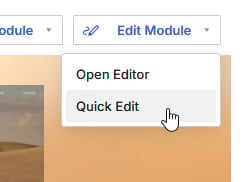
Drop this template onto your page, then click Quick Edit in the Slider Revolution block. Headlines, body copy, button labels and media are all swappable right there in WordPress, one slide at a time. Want to change the motion, layout or effects too? The full editor is one click away.

Our templates are 100% responsive

Out of the box, this template looks good no matter what device your visitors are on. If you add new layers, resize components, or incorporate extra effects, our responsive editor allows you to preview and customize your Slider Revolution content for all major screen sizes (or you can set your own breakpoints).

WordPress Image Carousel With Instagram Feed

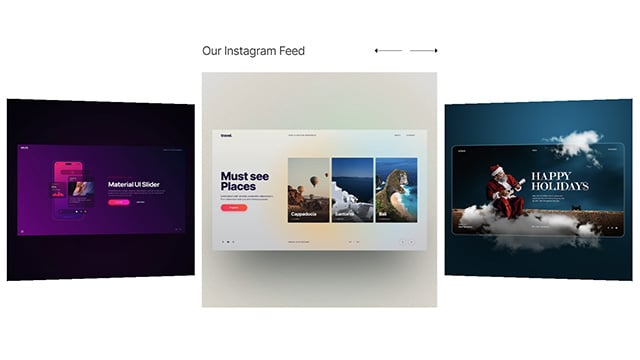
This dynamic, eye-catching template elevates your site’s appeal by presenting your images in a stunning, interactive layout. Stay connected with your audience and keep your content fresh by automatically syncing your latest Instagram posts. Customize with ease, and make your website truly shine with the perfect fusion of creativity and function.

Get the most out of this template

Our in-depth resources will provide you with knowledge and instant solutions.


How to install this template?

Our Plugin Dashboard Tour explains the 1-click template installation from Slider Revolution’s template library.


Getting started with Slider Revolution

Our Setup Guide (install, unlock, update) helps you to get on track with Slider Revolution.

In the Help Center, you will learn everything you need to know in order to work with the editor.


Customize this template

For quick content changes, use Quick Edit in the Slider Revolution block. It swaps text and media without leaving your page.
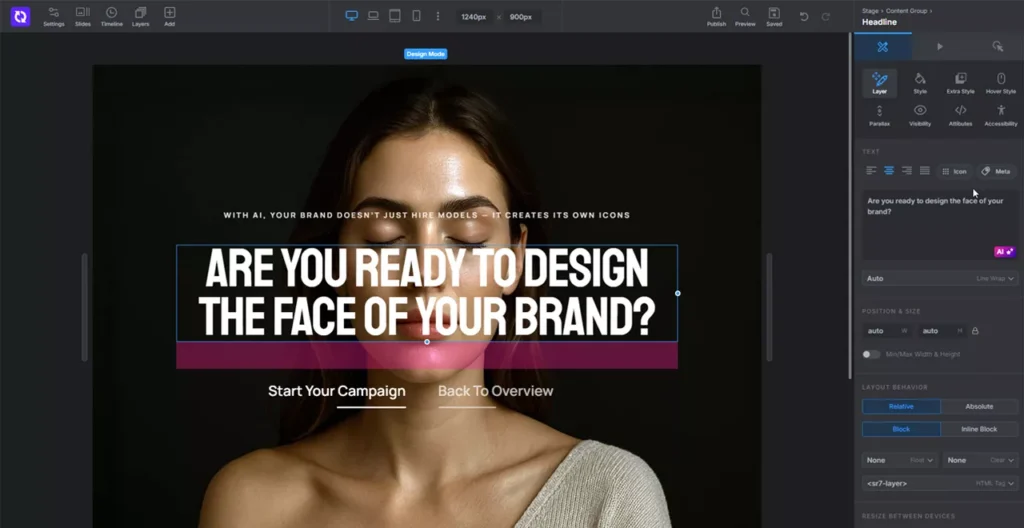
To change layout, motion and effects, learn the SR7 editor in our Video Tour


FAQ & tutorials

Instantly find solutions to the most commmon issues and follow in-depth tutorials:
FAQs & Tutorials

If you’re stuck, receive qualified technical support here:
Submit a Ticket