
Ever wondered what makes a personal website pop? Think of it like a digital handshake—first impressions are everything. Your online persona, elegantly wrapped in pixels and code, can be a game-changer. Whether you’re a creative soul showcasing a dazzling portfolio or a professional aiming to network, a well-crafted website speaks volumes.
Here, you’ll embark on a visual journey through stunning personal website design examples. You’re not just browsing templates; you’re unlocking the essence of personal branding.
We’ll dive into custom portfolio sites and sleek online resume layouts, decrypt the magic behind user experience, and glance at technical wizardry like responsive design.
By the end of this scenic tour, you’ll be armed with inspiration and the know-how to make your own slice of the internet mesmerizing.
We’re talking about turning heads with slick UI design, engaging with personal digital identity, and maybe even flirting with a bit of web development.
Personal Website Design Examples
Creative Portfolio Website Slider
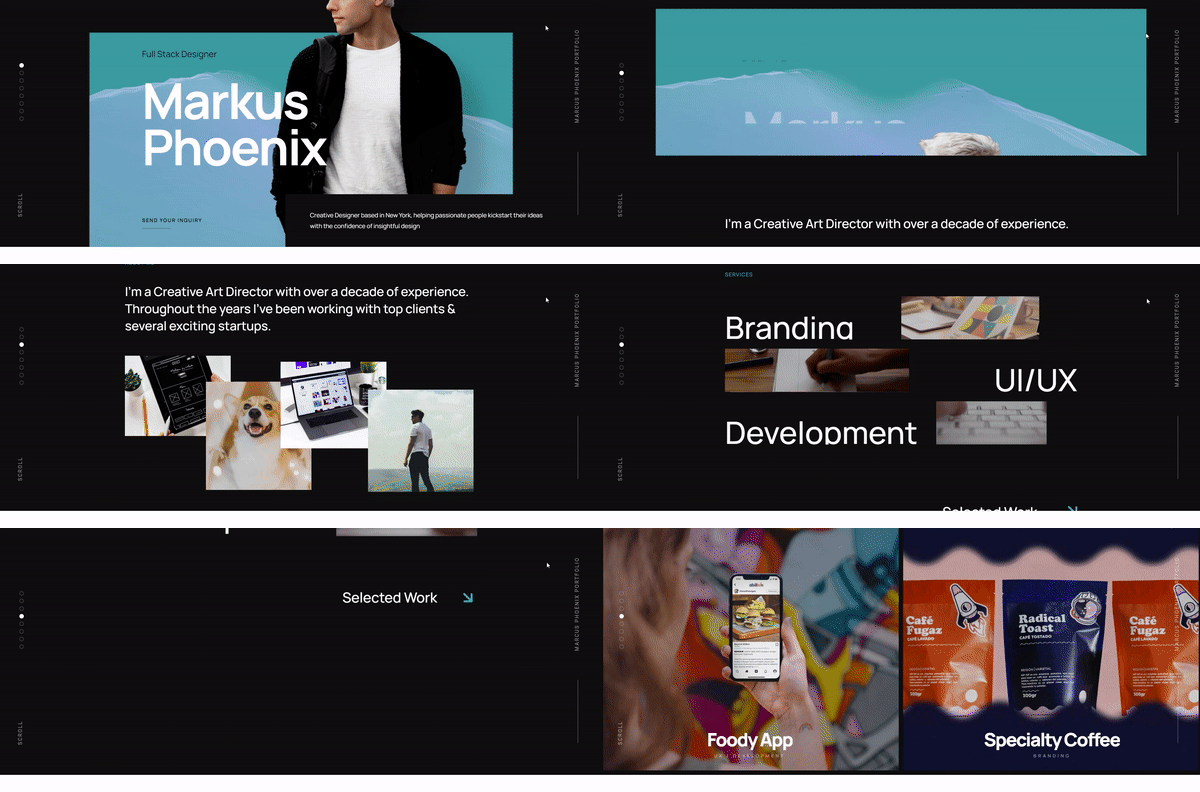
This single-page portfolio website template is designed to captivate and impress. Highlight your work with its stunning, interactive layout and immediately dazzle potential clients as they visit your site.
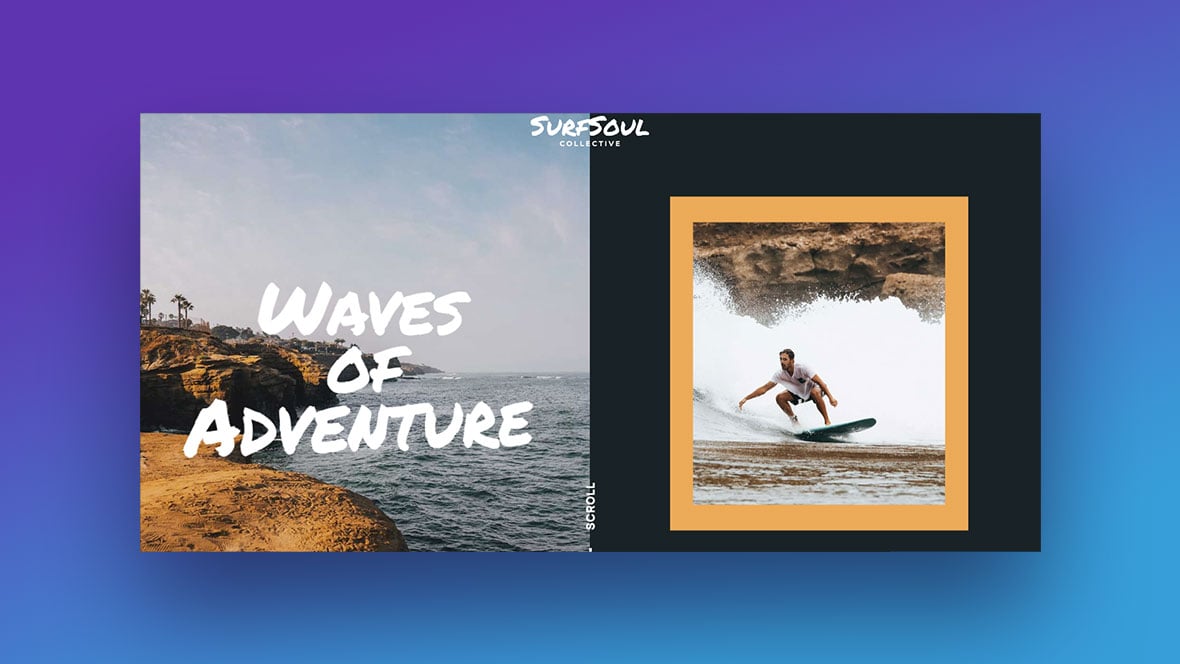
Surf Scroll-Based Story Template
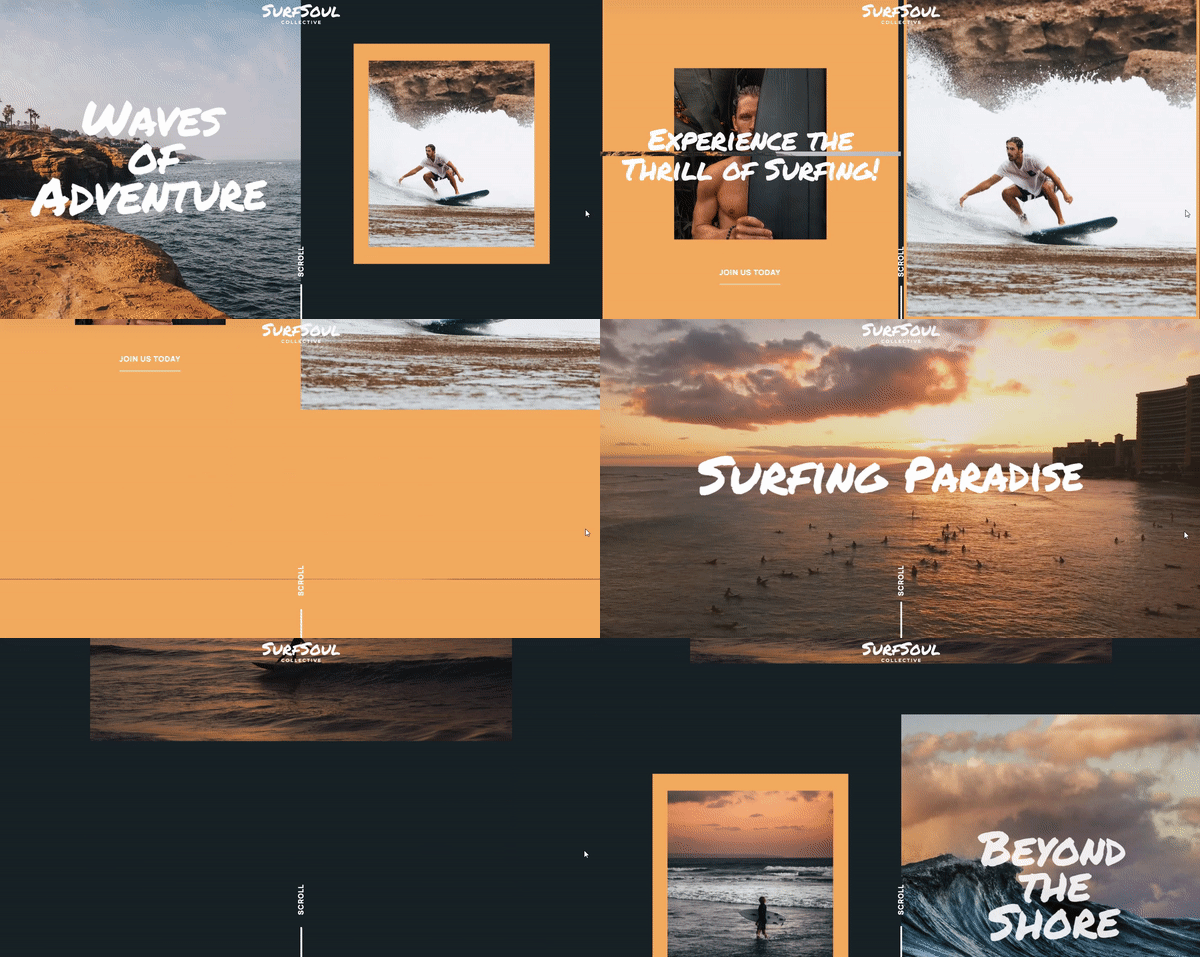
Our Surf Scroll-Based Story Template revolutionizes your website experience. Featuring a surfing theme, this template enhances your content with dynamic animations, large visuals, and full-screen video through scroll-based storytelling. Dive into an engaging narrative experience with Slider Revolution.
Parallax One-Pager Website
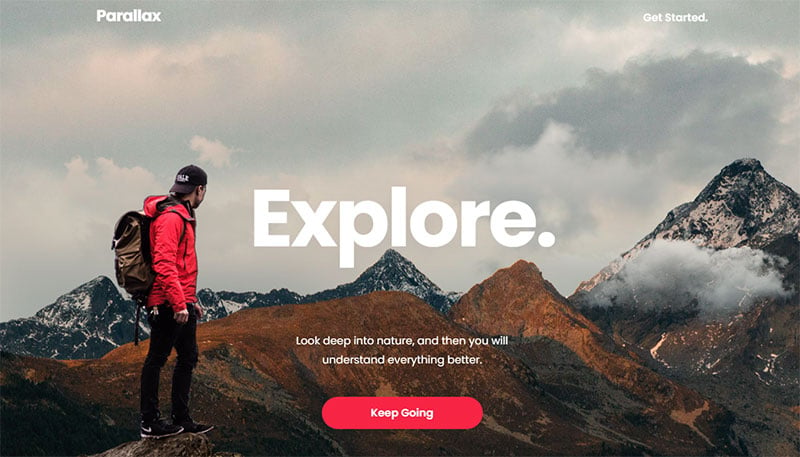
The Parallax One-Page WordPress Template, featuring three hero blocks, showcases a stunning parallax mountain landscape. It’s an impressive introduction to your online presence!
Wonderstruck One-Pager Website
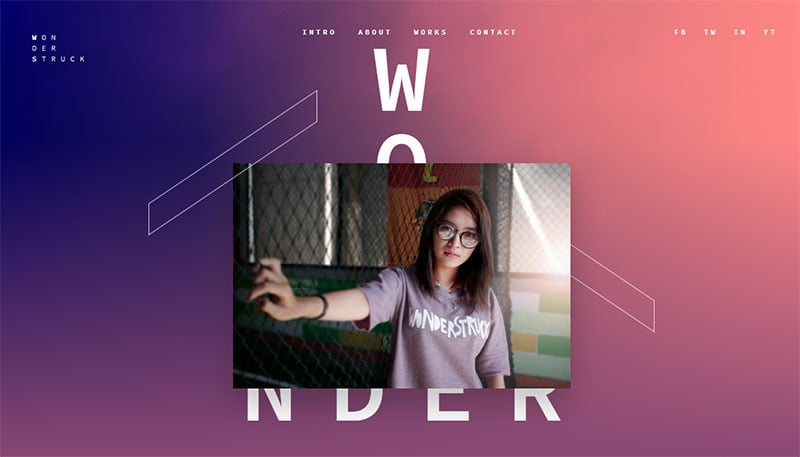
The Wonderstruck One-Pager Template offers a sleek and vibrant approach to displaying your portfolio on the web. Simply install, update the content, and enjoy a mobile-friendly online presence!
Photographer Website Template
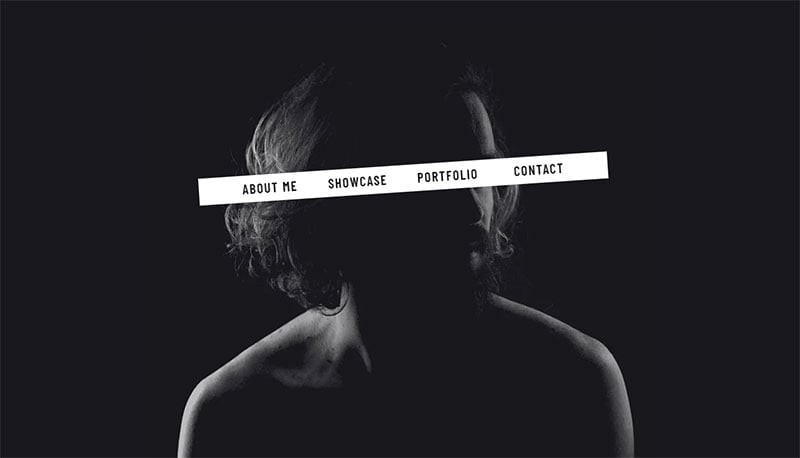
The Photographer Website Template provides a comprehensive platform for photographers looking to present their work with a contemporary flair.
Photography Front Page Website
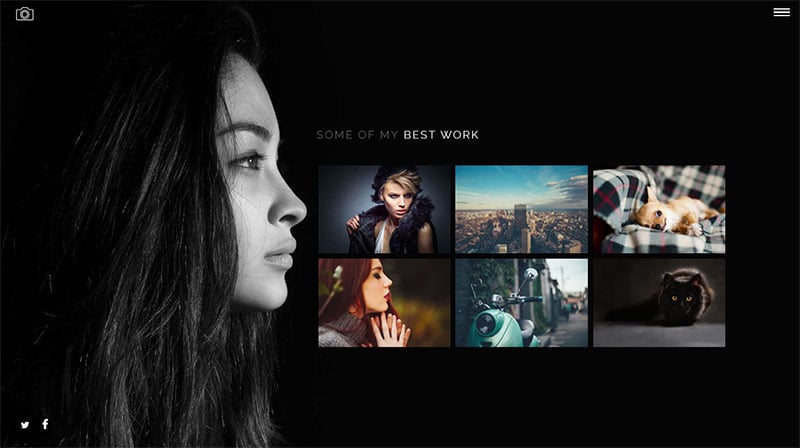
An elegant one-page website featuring a distinctive style and design, seamlessly integrated within your WordPress environment.
Alexander Sakhnenko
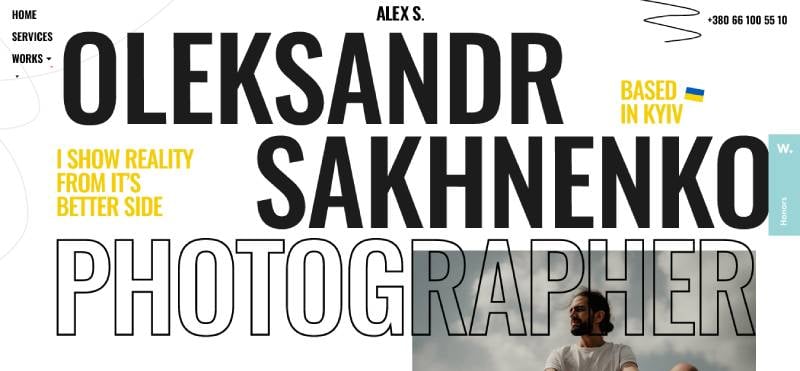
Whoa, dive right into Alexander Sakhnenko’s digital universe, and you’re in for a visual treat. Picture a slick minimalist vibe blended with bold typography—it’s like your eyes can chill while your brain goes, ‘Damn, that’s clever!’ It’s not just a website; it’s a portfolio that flexes creativity.
The use of HTML/CSS examples is so on-point, proving that classic personal branding isn’t just about shouting your name; it’s about whispering your story with custom web graphics. It’s for sure mobile-friendly, making sure you get the full effect, whether on a train or on your sofa.
Music Band Website
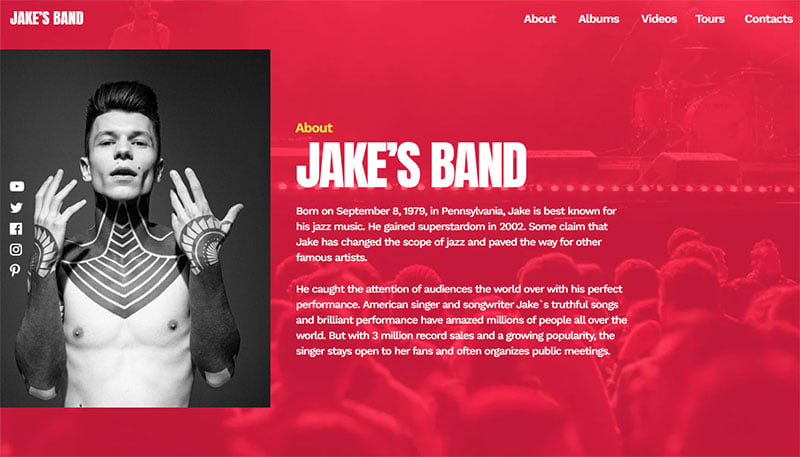
The Music Band Website Template serves as an ideal starting point for your music band-themed site. Highlight your latest songs, albums, and videos with stylish transitions!
Hugo Bazin
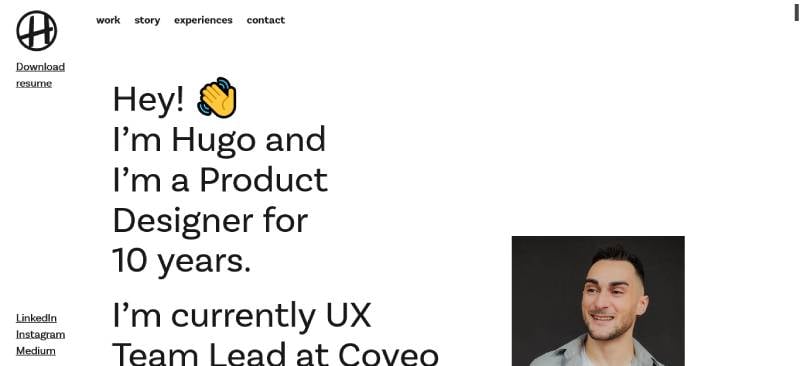
Click on over to Hugo Bazin’s site, and it’s like a breath of fresh creative web layout air. The way each project is given space to shine? Chef’s kiss. Using a user interface design that’s as intuitively simple as it is eye-candy, this site is a lesson in letting your work do the talking.
And talk it does, with every scroll whispering insights into Hugo’s world. It’s all the portfolio website goals with responsive web design that smooths out every interaction.
Melanie Daveid
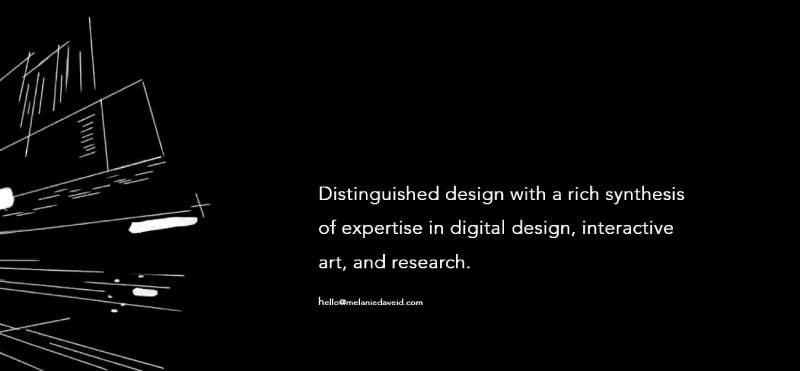
Melanie Daveid’s site is where elegance meets digital – it’s the black dress of portfolio websites. With UX design elements that make navigating as smooth as silk, you’re floated through a journey of her achievements.
It’s about crafting a personal brand online that’s as well-thought-out as her projects. Full of creative web layouts that are more storytelling than showcase, it uses web design templates but flips them with a twist all Melanie.
Michael Mannucci
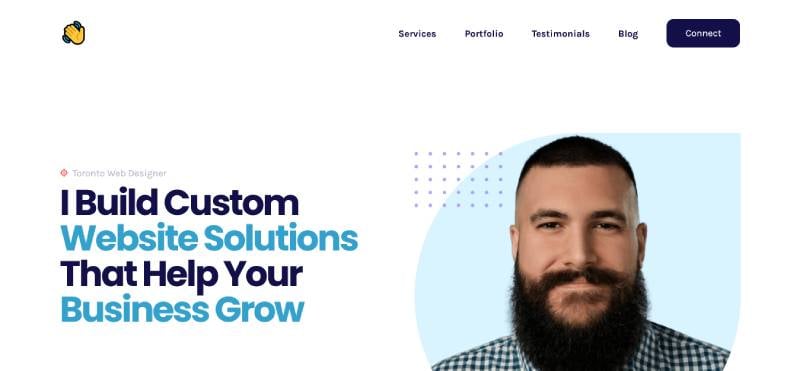
Stumble into Michael Mannucci’s digital spot, and it’s like the dude’s whole vibe is right there to greet you. It’s a blend of custom web development and pure personality. The user interface design is as thoughtful as it is engaging, kinda like having a convo over coffee. SEO optimization seems built into his brand, making sure his site’s not just seen but remembered. Using online resume templates as merely a starting point, Michael reinvents what it means to put yourself out there.
Kira Olsen
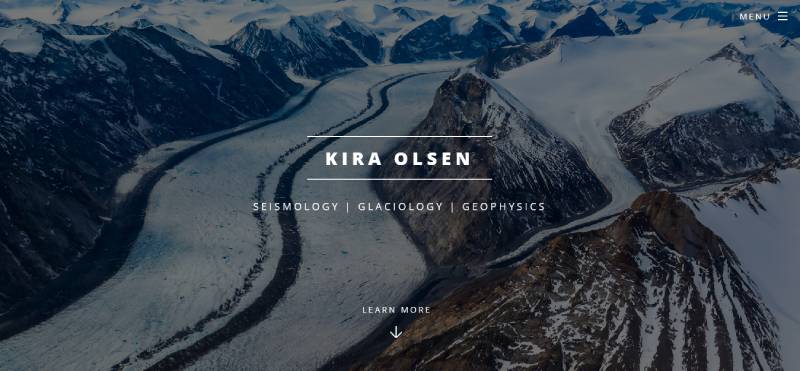
Drop by Kira Olsen’s web home, and it’s like stepping into a serene workspace where each design tells its story. This is where creative web layouts and heartfelt narratives come together. It’s minimalist, yes, but every inch is soaked with intent and purpose. A testament to the power of personal blog design when it marries web design software in all the right ways, Kira proves that personal branding online can be both authentic and aesthetically striking.
Brice Clain
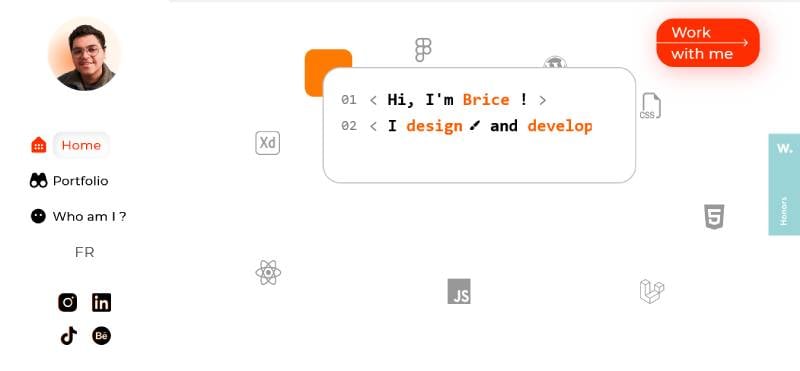
Flip through Brice Clain’s online nook, and it’s a carousel of crisp web design templates mixed with unfettered creativity. It’s polished, it’s personal and it’s primed with responsive web design that adapts faster than you can say ‘reload’. Seeing the personal webpage gallery unfold feels natural, like Brice’s guiding you by the hand through his digital exploits. It’s personal brand online in the most unpretentious way possible.
I Am Tamara
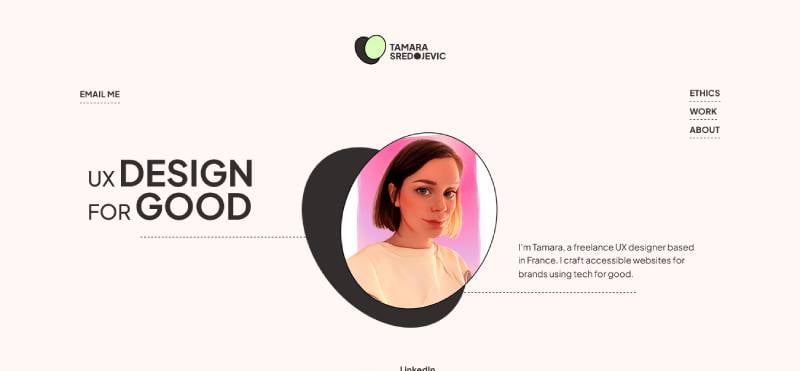
‘I Am Tamara’ isn’t just a bold claim, it’s a web design saga told with panache and personality. The online resume template here isn’t a template—it’s a canvas. You’re not just browsing; you’re getting to know the artist behind the art. It’s web design software turned into a paintbrush, creating strokes of UX design elements that compel and convert. How’s that for redefining personal branding strategies?
David Milan
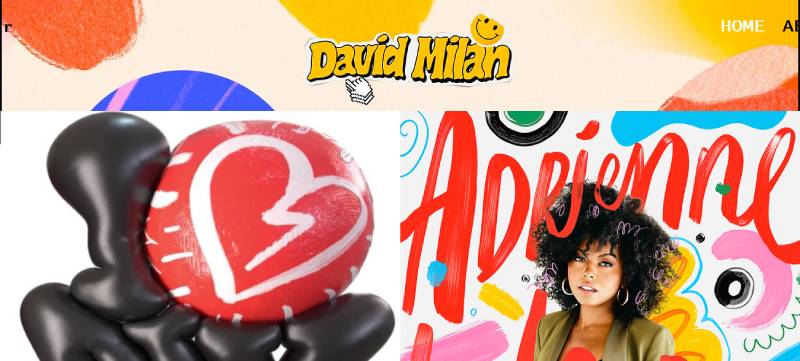
Enter David Milan’s realm, and prepare for a web design expedition. Here’s a site that uses HTML/CSS examples like spells, creating an enchanting experience draped in custom web graphics. It’s like the guy whispered to every pixel personally, coaxing them into this exquisite tapestry of his career. Graphic design showcase, much? Definitely—and with a dash of personal branding that sets it worlds apart.
Vytautas Vy
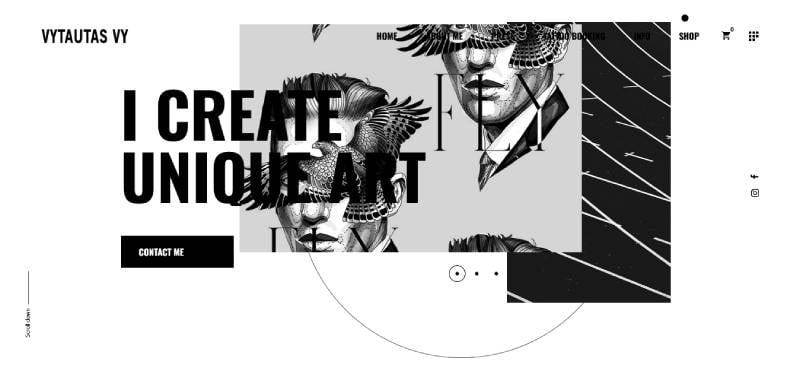
Set foot onto Vytautas Vy’s digital tattoo parlor, and it’s a riveting portfolio website that mirrors a gallery walk. It’s raw, it’s real—each ink drop tells a story, echoed in the responsive web design that brings his art into focus. Everything from the web content accessibility guidelines to the page loading speed optimization syncs to elevate your experience—as if every splash of digital ink says, ‘This is me, this is my mark’.
Camila Conti
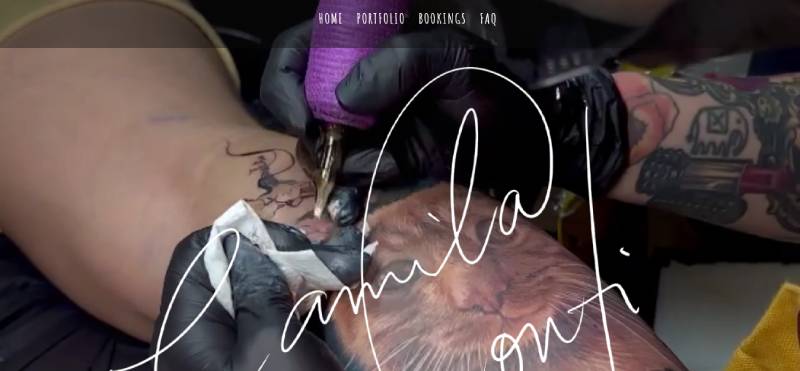
Swing by Camila Conti’s online corner, and it’s a cozy nook of web sophistication. It’s web hosting with a human touch, a domain name selection that says ‘remember me’. The way the typography in websites dances with the visuals? A silent serenade by the web design software maestro herself. Visual identity on the web isn’t just a concept; it’s the very fabric of this online safe haven.
Michael Albor
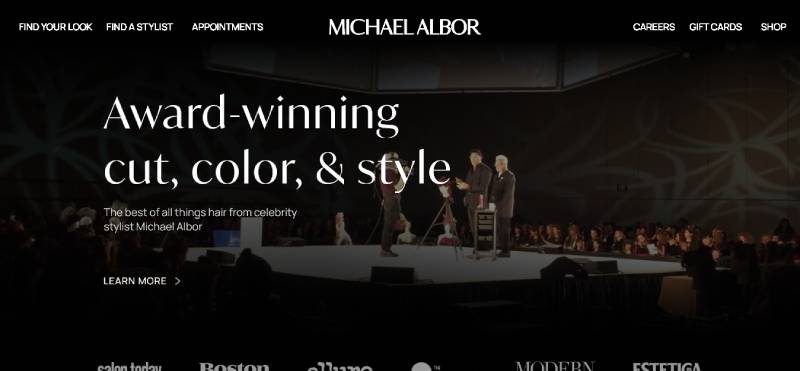
Step into Michael Albor’s virtual realm, and you’ll be wading through a kaleidoscope of style and substance. It’s a sizzling hot online portfolio that serves pure finesse with every click. The layout? On fleek. It’s obvious a web content management system is at play here, seamlessly showcasing style that whispers class and screams talent. It’s a personal website design example that’s not only razor-sharp but also speaks a visual language that’s understood universally.
Sabrina Tran
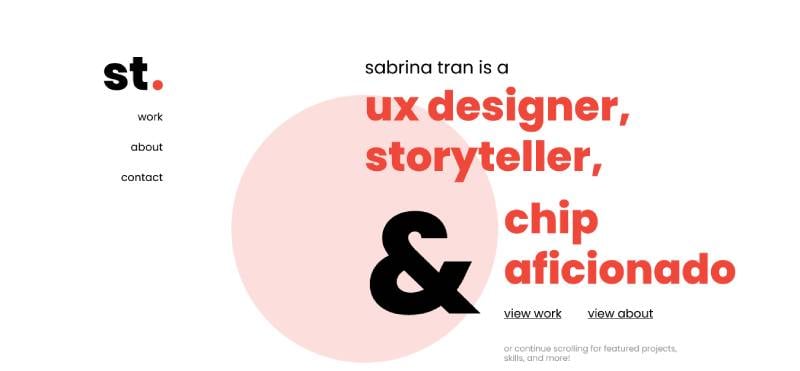
Land on Sabrina Tran’s digital doorstep, and you’re offered a platter of web design templates that redefine simplicity. This isn’t just a CV website format; it’s a narrative wrapped in elegance. Here, personal branding online shines, with custom web graphics creating a vibe so inviting, you’d want to hang out there. The minimalist web portfolio coupled with the power of visual identity on the web makes every project pop, ensuring Sabrina’s story doesn’t just tell but captivates.
Mark Manson
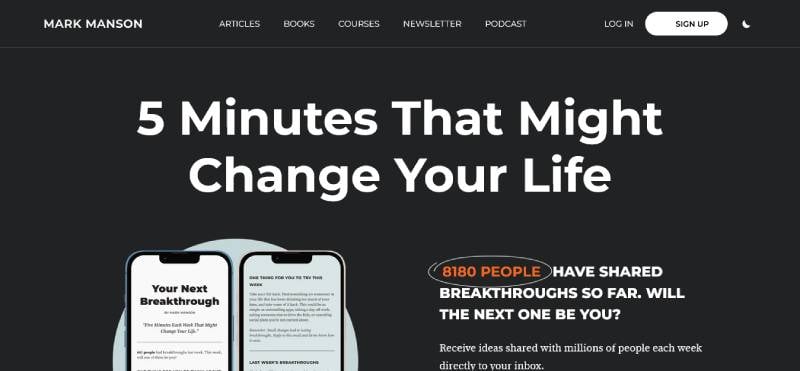
Touch down on Mark Manson’s corner of the web, and suddenly, it’s like you’re chatting with an old pal. The site’s web design is decked out in relatable threads, telling it to you straight, no chaser needed. Mark has turned his personal blog design into a powerhouse, with words that hit and a layout that’s as user-friendly as it is thought-provoking. Talk about nailing down your digital portfolio tips. It’s content with a pulse, making the experience linger way past the last word.
Gary Vaynerchuk
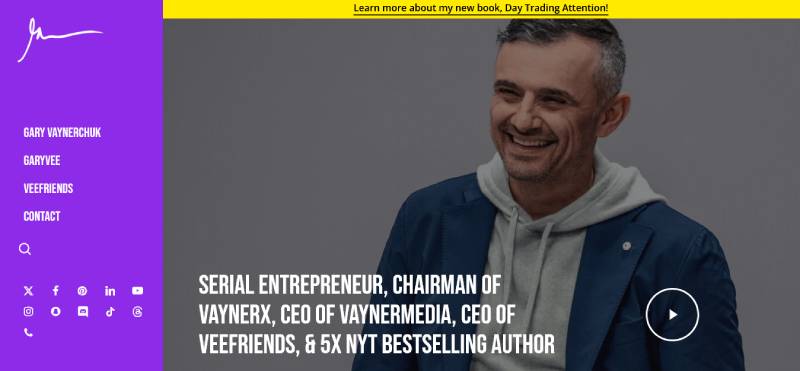
Hop into Gary Vaynerchuk’s online hustle hub, and you’ll be greeted with a webpage design as unapologetic as his personality. The personal branding strategy here is no accident; it’s a full-throttle Web design software masterpiece. Get ready for SEO-optimized content that doesn’t whisper—it bellows. With every scroll through his digital marketing portfolio, Gary’s vision for online advertising and content strategy becomes crystal clear, and oh so sharp.
Robin Sharma
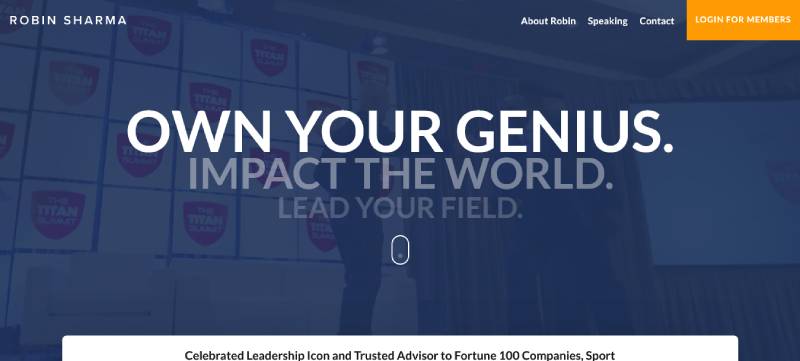
Swerve into Robin Sharma’s digital abode, and it’s a sanctuary that’s both inspiring and impeccably ordered. The web design templates are discarded for a user experience that’s soaked in wisdom. It’s not just a site; it’s a lesson in personal branding that’s as engaging as Robin himself. With a site that is clearly mobile-friendly and oozes charisma, it’s personal brand online mixed with timeless teachings.
Jay Pharoah
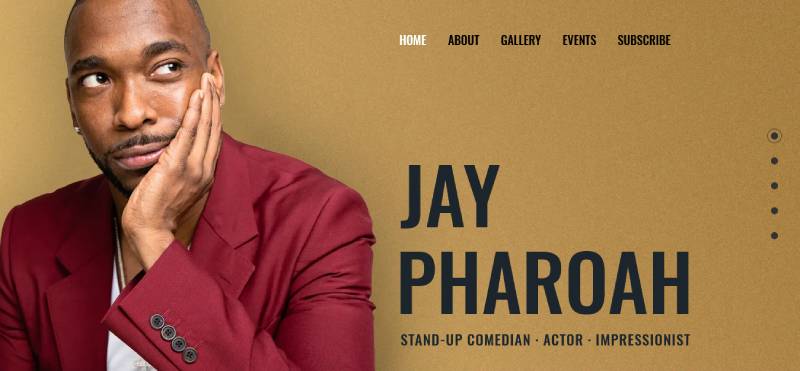
Bounce over to Jay Pharoah’s online stage, and you’re center-front at a one-man show of wit and talent. The personal website design is a smorgasbord of his multi-faceted career, with creative web layouts that are as engaging as his impersonations. This isn’t your run-of-the-mill portfolio website; it’s a spotlight that blazes as bright and as fast as Jay’s comedic chops.
Joel Runyon
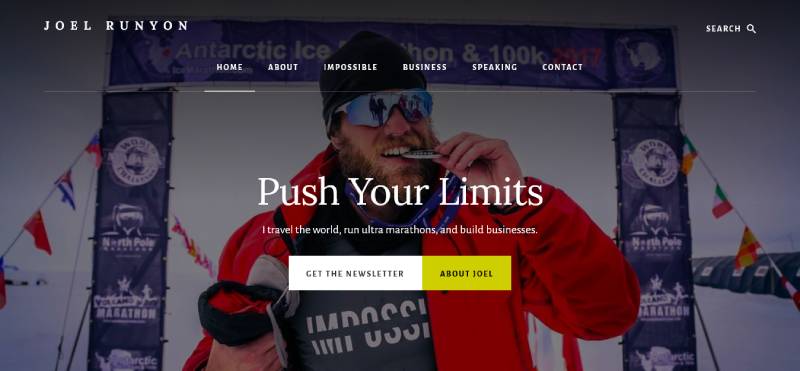
Take a detour to Joel Runyon’s website, and it’s like you’ve signed up for a marathon of exhilaration and self-improvement. It’s a web design that doesn’t just host content—it kickstarts revolutions. Joel’s personal brand online is a minimalist web portfolio, but the real juice is in the web accessibility and engagement of his vision. It’s an online resume template that tells you to get up and start sprinting toward your goals.
Gary Sheng
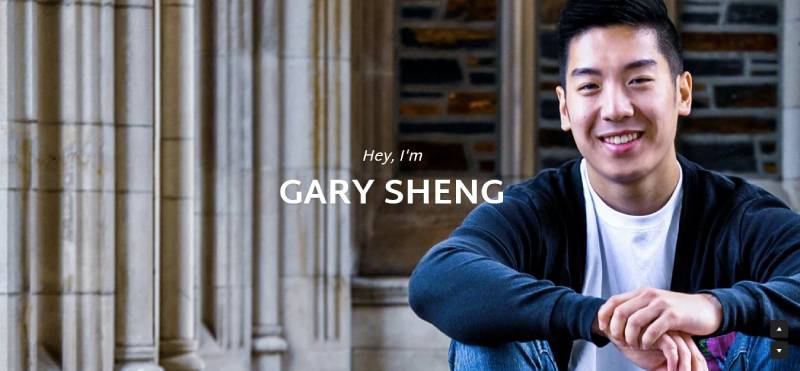
Stroll into Gary Sheng’s digital quarters, and you’ve got yourself a delightful mix of web development and genuine storytelling. Visuals? Check. Personal branding strategy that captivates? Double-check. It’s a portfolio that uses responsive web design like a maestro, ensuring every pixel, every graphic design showcase, leads you further into Gary’s world. It’s a masterclass in making a personal webpage gallery feel like home.
Orestis Georgiou
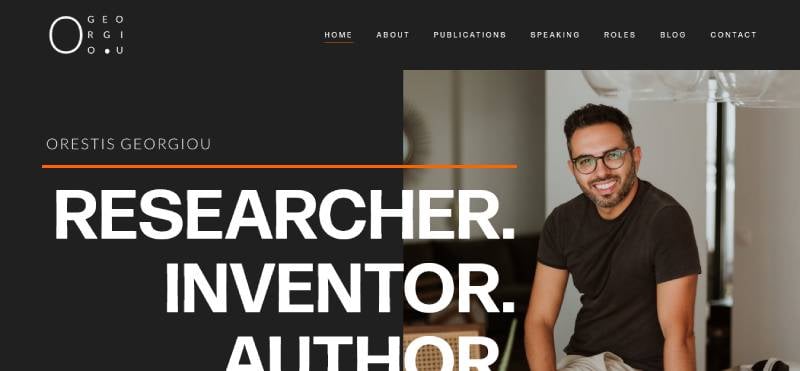
Saunter through Orestis Georgiou’s digital encyclopedia, and it’s a scientific journal sprung to life. It boasts a web layout that highlights his scholarly pursuits with creative flair—think minimalist, but with the volume turned up. The combination of an online resume with immersive tales of research is a symphony of personal branding online. It’s where UX/UI design meets the mind of a researcher, presented with the utmost clarity and class.
More On Milan
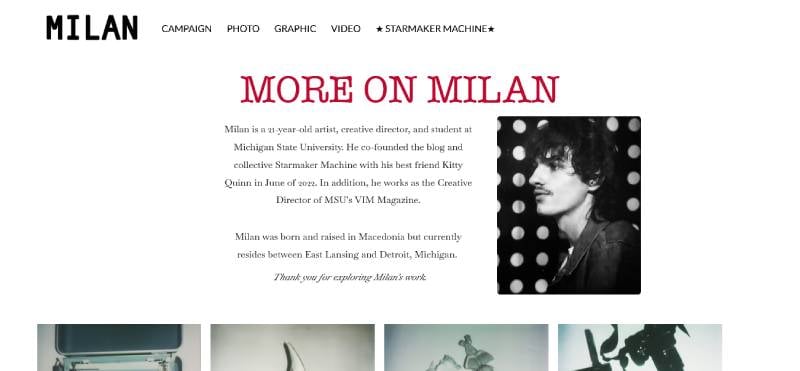
Parade into More On Milan’s online boutique, and it’s a couture trip where style is served with immersive web design mechanics. Here’s a web portfolio that’s as chic as it is user-friendly. The layout whispers trends and speaks vogue, blending SEO optimization with a sprinkle of Milanese zest. It’s a personal webpage gallery that doesn’t just show images—it shows a mood, an aroma of fashion that lingers.
Greg Ross
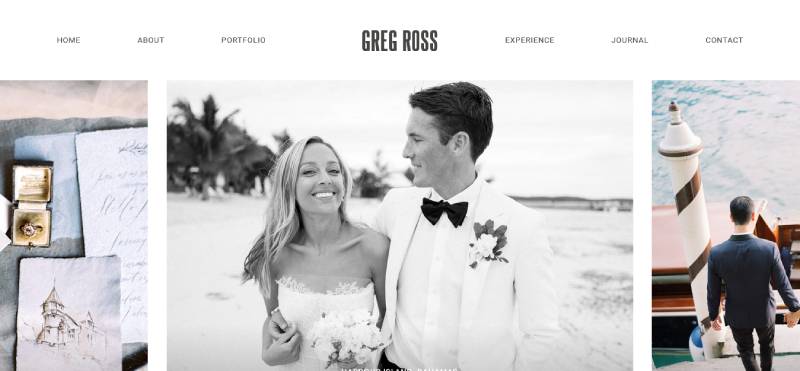
Wander into Greg Ross’s thought corridor, and you’ve got a one-way ticket to musings galore. This blog is a creative web layout playground, each article a personal branding confetti cannon exploding with ideas. Think HTML/CSS skills mashed with a philosopher’s heart. It’s the kind of digital portfolio where every scroll is a step deeper into Greg’s mind-space, making you think, laugh, and wonder, all with a backdrop of minimalist web design.
Nicole Windle Yoga
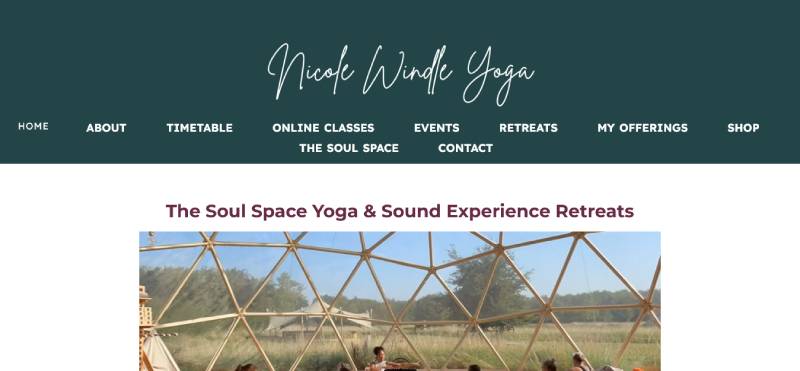
Drift over to Nicole Windle’s virtual yoga mat, and you’re breathing in zen with a side of digital marketing savvy. Her site is a personal website design example that stretches beyond the typical—it bends and flexes with responsive web design. It’s not just about serene online resume templates; it’s a personal blog design that oozes tranquility and invites you to embrace your inner yogi with each user interface design twist.
Ali Abdaal
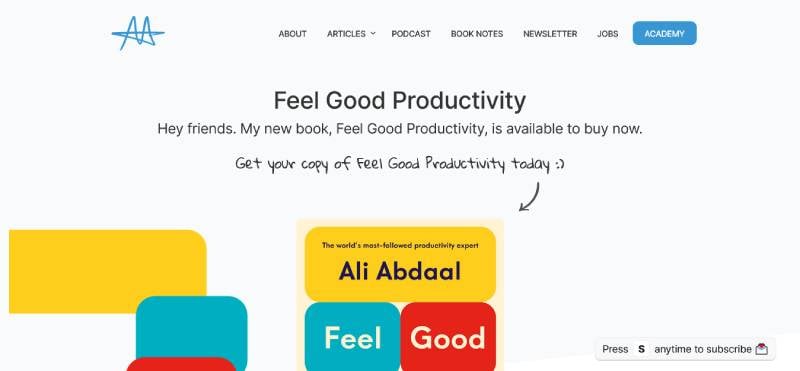
Dive into Ali Abdaal’s online hub, and it’s like hitting the jackpot of life hacks and productivity gold. The web design here? Clean and inviting like a fresh journal. Ali’s nailed the personal website design examples, with UX design elements that take you from curious visitor to loyal follower in seconds. His personal branding isn’t just slapped on—it’s baked into every word, every layout, making for a digital spread that’s part TED talk, part coffee with a friend.
Minimalist Baker
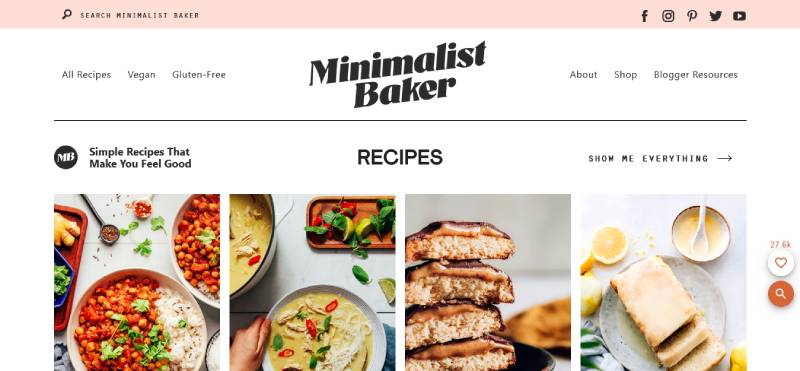
Saunter into the Minimalist Baker’s kitchen, and every byte—pun intended—of the website is a web design template for delicious simplicity. Here, food isn’t just cooked—it’s celebrated with vibrant custom web graphics and mobile-friendly features that work like grandma’s secret recipe for SEO optimization. It’s a personal blog design that makes you want to cook, taste, and maybe even dance a little. Because here, content strategy meets whisk and baking tray.
Salt in Our Hair
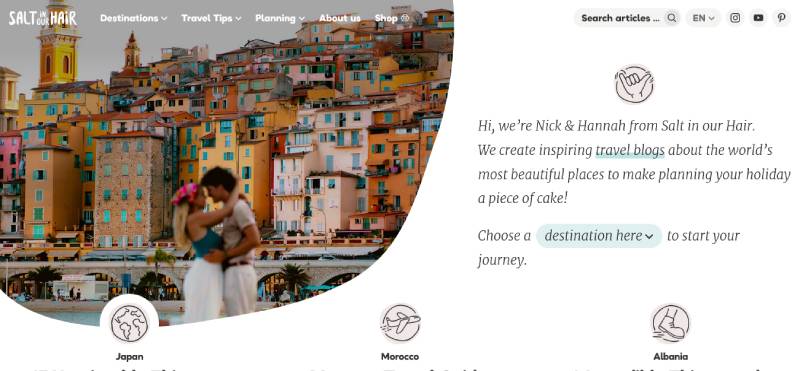
Step onto Salt in Our Hair’s page, and it’s a sunny day every day, with each click whisking you away on a digital branding journey. User interface design? Think modern and chic postcard that screams personal branding online. It’s a portfolio website where every picture’s worth way more than a thousand words. As a creative web layout inspire-o-dome, it’s flawlessly sprinkled with content strategy sea salt for a taste of infinite summer.
The Craftaholic Witch
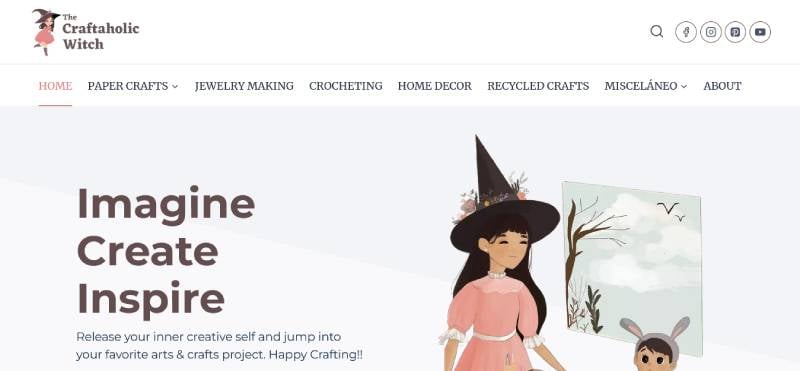
Skitter into The Craftaholic Witch’s den, and brace for a pop of color, a burst of imagination—this isn’t your average crafting blog design. It’s a portfolio website, except the portfolio is bursting with glitter and glue. User experience here is like flipping through the best DIY diary ever, and the minimalist design ensures you’ve got the space to let your creativity run wild. Talk about personal branding strategies putting a spell on you.
Jake Sinclair
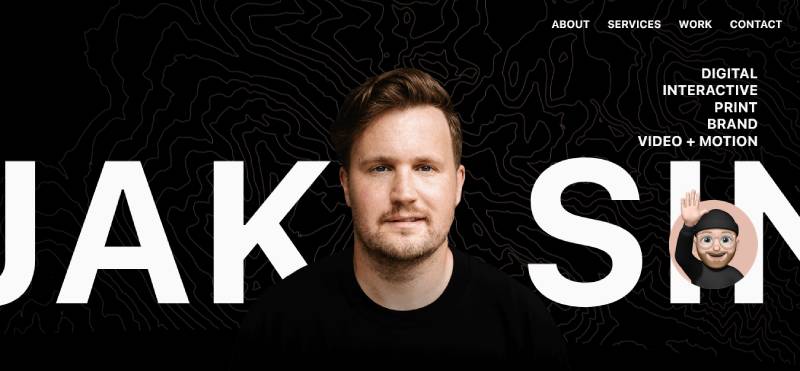
Enter Jake Sinclair’s digital nook, and you’re in a realm where code and creativity lock fingers. Web design templates are just the appetizer here; it’s the main course of Jake’s graphic design showcase that’ll stuff you full of inspiration. His personal website design is as snappy as a fresh CSS script, polished with SEO optimization so slick, search engines might just slide right off the page. And amid the responsive design and web content, his character shines like a nifty easter egg in a sea of pixels.
Daniel Grindrod
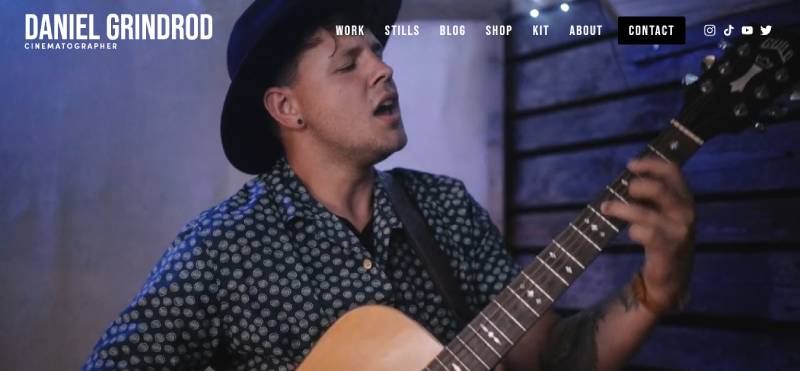
Stride into Daniel Grindrod’s interactive portfolio, and it’s a masterstroke of user interface design finesse. The personal website design example here morphs from screen to visual identity canvas, with Daniel’s filmography painting strokes of brilliance across your retina. It’s not just a web design; it’s a front-row seat to his directorial journey, making digital marketing look like the new blockbuster hit.
Andy Hardy
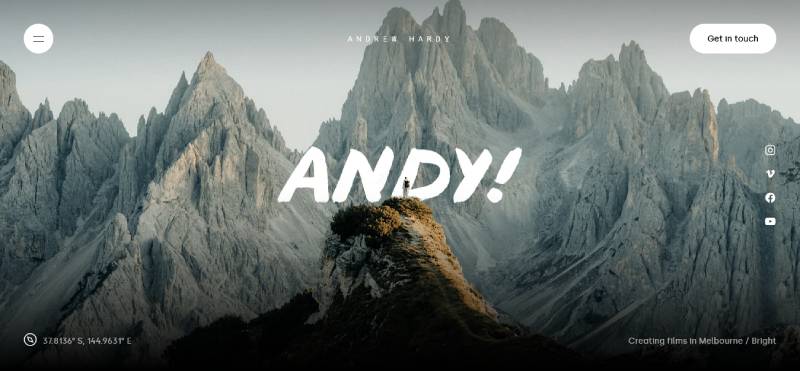
Amble into Andy Hardy’s online garden, and the web design templates bloom into life, each leaflet a testament to his digital marketing and design prowess. It’s not just an online resume template—it’s an SEO-optimized ecosystem where Andy’s work is both the root and the blossom. Every user interface design interaction is a petal unfolding, revealing layers of personal branding strategy that’s as organic as it is digitally refined.
Helena Bowen
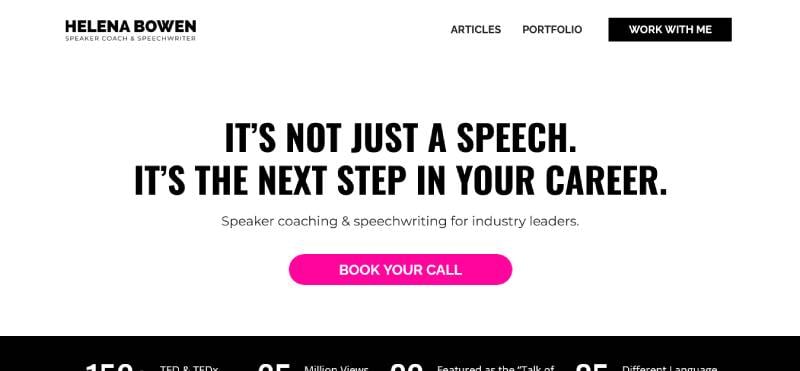
Roam into Helena Bowen’s professional expanse, and it’s like a crisp digital portfolio breeze sweeps you off your feet. The personal website design is potent, as potent as her mission-driven content strategy. It’s a tapestry woven from custom web development threads, speaking louder than the usual online resume templates. Helena’s visual identity beckons you to do more than just look—it calls you to act, breathe, and change the narrative.
Ryan Hannebaum
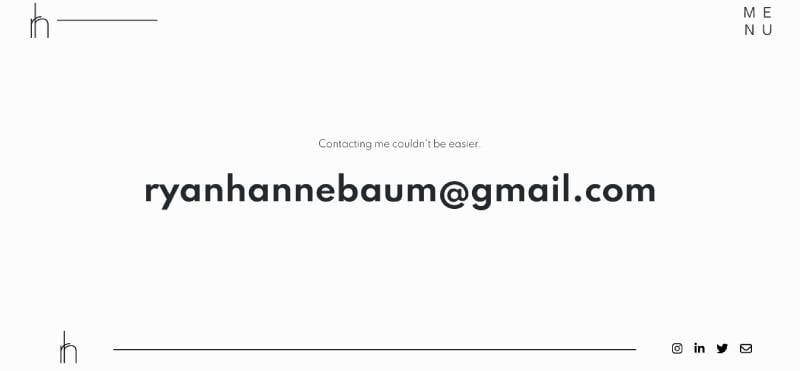
Mosey into Ryan Hannebaum’s virtual camp, and you’ll notice it’s like an atlas—a web design odyssey. His personal website design examples are like maps guiding through a wilderness of ideas. It’s responsive web design meets expedition journal, every page a new chapter in his professional trek. And the way his personal branding syncs with his narrative? Smooth, like a compass leading to the next big discovery.
Ine Agresta
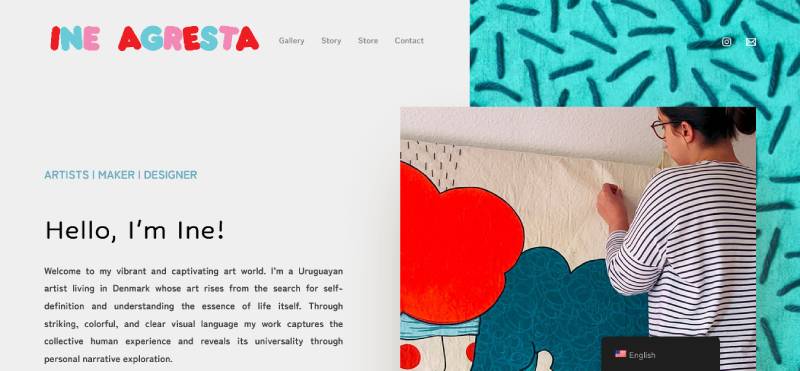
Glide into Ine Agresta’s digital gallery, and you’re met with the grace of a personal branding online ballet. Each slide in her personal website design pirouettes between visual identity tales and professional prowess. It’s a portfolio website applying the content strategy of a brand virtuoso, where the user interface design invites an avant-garde dance that enchants you with creativity.
Carlos Villarreal Kwasek
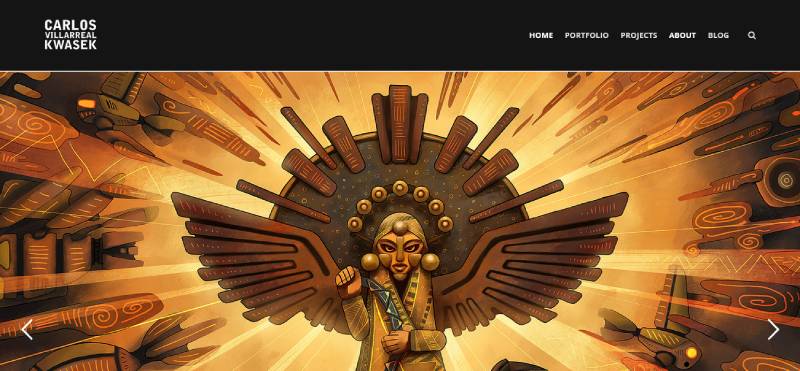
Trek into Carlos Villarreal Kwasek’s online alcove, and there’s a fusion of tech and artistry—a web development symphony. It’s a portfolio website concert, where visual identity plays first violin and content strategy is the conductor. This isn’t your cookie-cutter personal website design; it’s a user experience gallery displaying a spectrum of talent that Carlos has debugged and developed into a crescendo of digital marketing mastery.
Leesha Williams
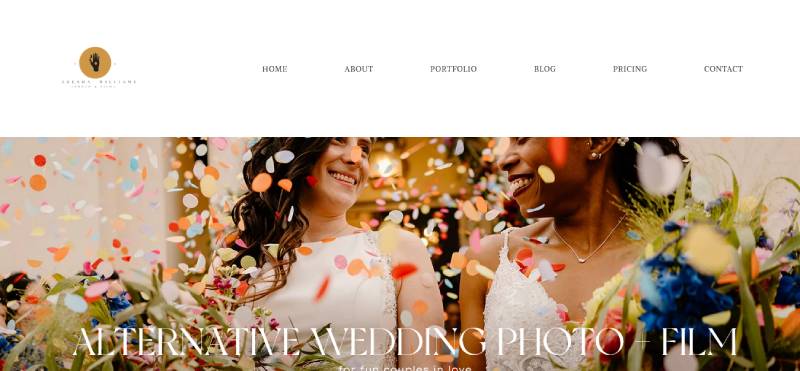
Saunter into Leesha Williams’ photographic saga, and it’s a storybook of images—a web design template for memories in high-res. Here, the online resume is alive with snapshots that speak volumes, and the user interface design is as user-friendly as a family album. This personal branding online is less about telling and more about showing—a portfolio website where every pixel holds a thousand emotions.
Jasmine Star
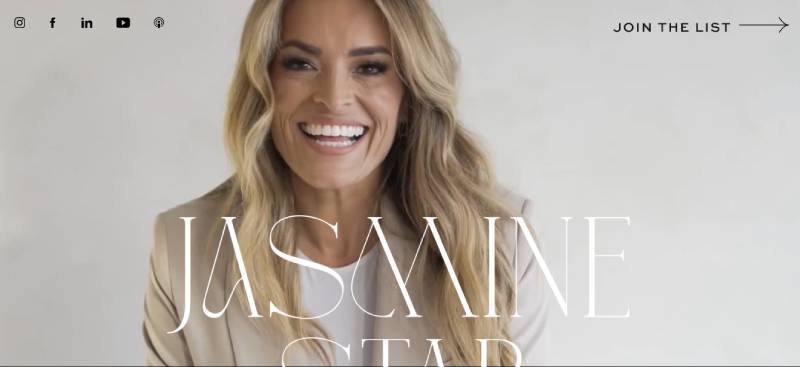
Navigate to Jasmine Star’s digital universe, and it feels like an open book of dreams—a personal blog design for the starry-eyed entrepreneur. Her site is a content strategy powerhouse, a visual identity woven from her own stories and successes. The web design here is as magnetic as her camera lens, capturing moments and crafting a personal brand online that’s both relatable and aspirational.
Morgan Sun
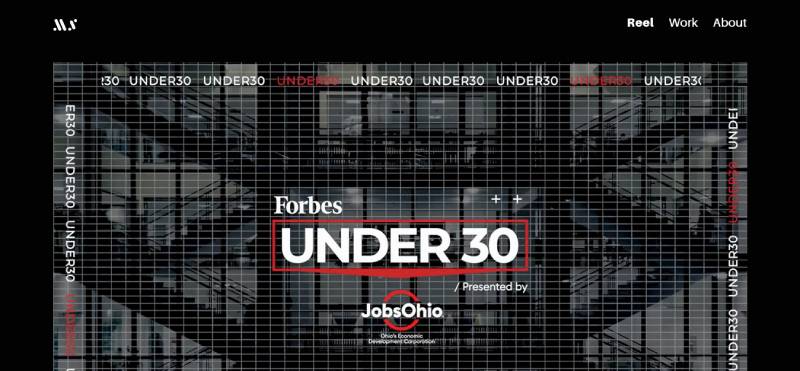
Wander over to Morgan Sun’s digital space, and it’s a bright alcove of innovation—a graphic design showcase where functionality meets beauty head-on. Each click through her personal website design is a step through Morgan’s world, a place where web development merges seamlessly with personal branding strategy. It’s not just a portfolio website; it’s a seamless, user-friendly interface for design brilliance.
Kelsey O’Halloran
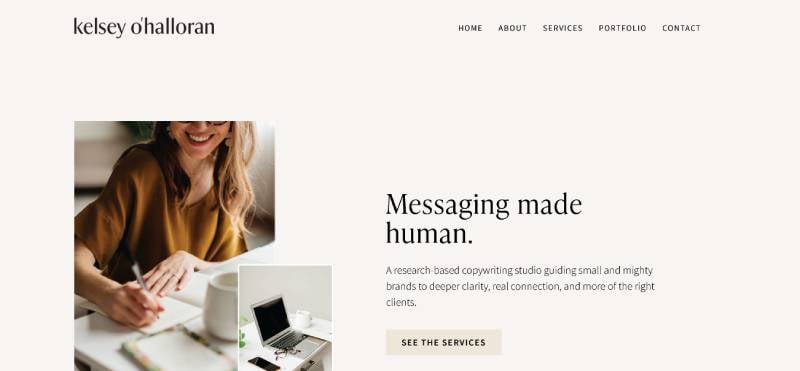
Dive into Kelsey O’Halloran’s realm, and here’s where words weave worlds—a personal website design example where storytelling elevates brand narratives. It’s a digital marketing toolkit wrapped in a responsive web design that showcases Kelsey’s mastery with the pen. Her personal branding is an open book, with UX design elements that guide you gently through her wordsmith’s journey.
Amy Boyd
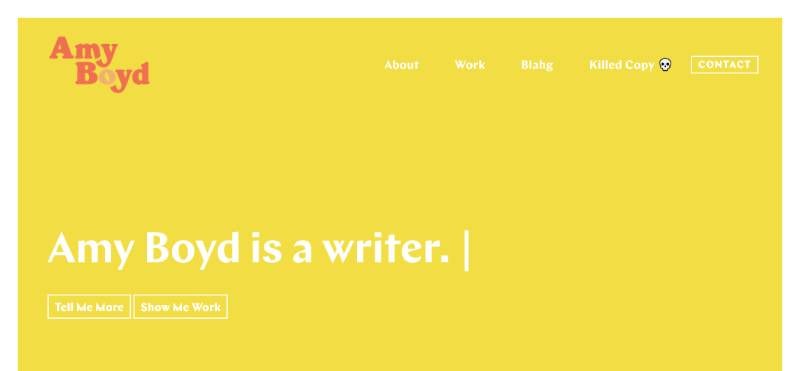
Venture into Amy Boyd’s digital forest, and it’s a delight of detail—a personal blog design for the meticulously minded. With responsive web design that’s as neat as her projects, Amy’s web design templates are a shoutout to all kinds of crafty. The balance of SEO optimization and her personal branding cultivates a personal webpage gallery that’s equal parts insightful and inviting.
Byron McNally
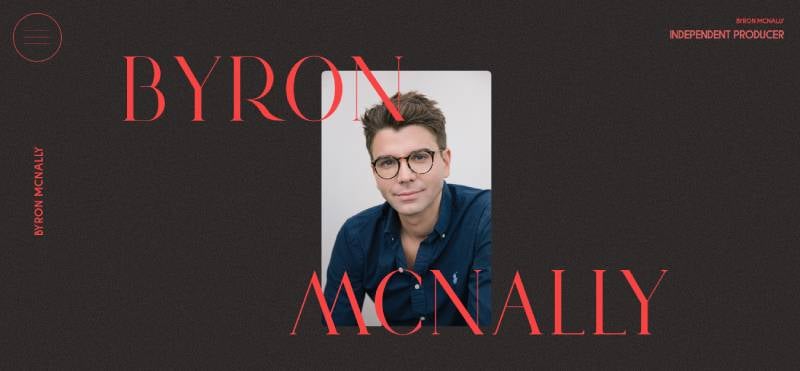
Stride onto Byron McNally’s online grounds, and the melody of invention hums—a portfolio website for the industrious creator. Byron’s personal website design orchestrates a concert where web development and innovative designs are the headliners. This is personal branding online that’s built with the foundation of functionality, garnished with the aesthetics of a maverick.
Martine Myrup
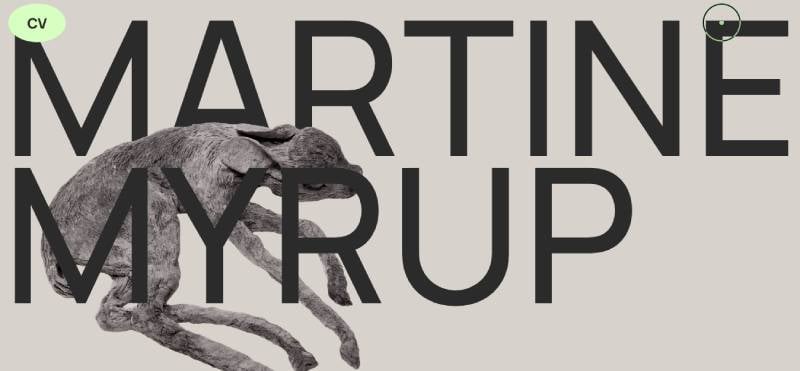
Steer into Martine Myrup’s digital boutique, and there’s a Scandinavian design breeze that flutters—a web design template for the minimal yet mighty. It’s a website design showcase where SEO optimization unfurls under the banner of her visual identity. Martine’s personal branding strategy is less noise, more poise—a personal webpage gallery that whispers excellence in simplicity.
Jen Carrington
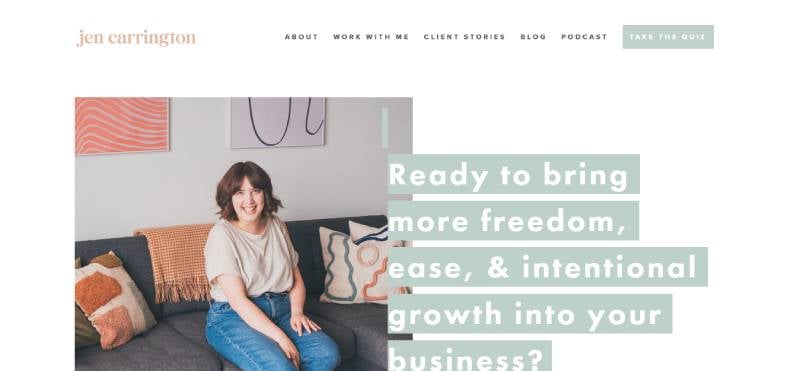
Drift over to Jen Carrington’s virtual sanctuary, and it’s as if the web design templates take a backseat, letting her ideas do the driving. This is a digital portfolio with soul, where each service and word is imprinted with her personal branding strategy. Jen’s personal website design is a breath of fresh air—a welcome sign beckoning those seeking thoughtful, driven content strategy mastery.
Gari Cruze
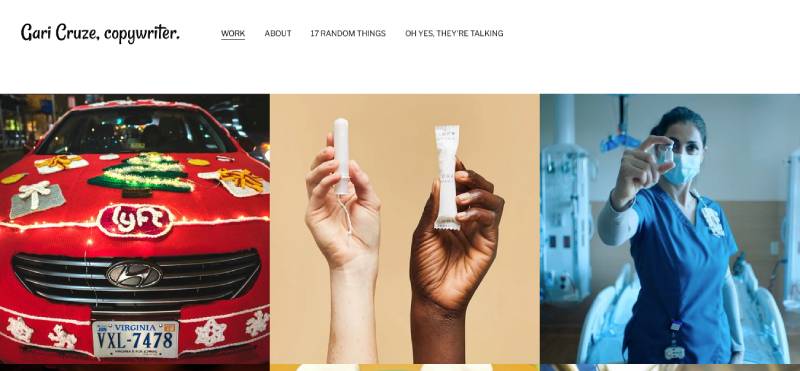
Step onto Gari Cruze’s stage, and it’s an open forum where web development meets whimsy—his user interface design is a front row to his creative thought process. What you get here is a personal website design that’s alive with voice, animated by the energy of his personal branding strategy. It’s a place where content isn’t just king; it’s the whole kingdom, served with a side of personality.
Marco Feng
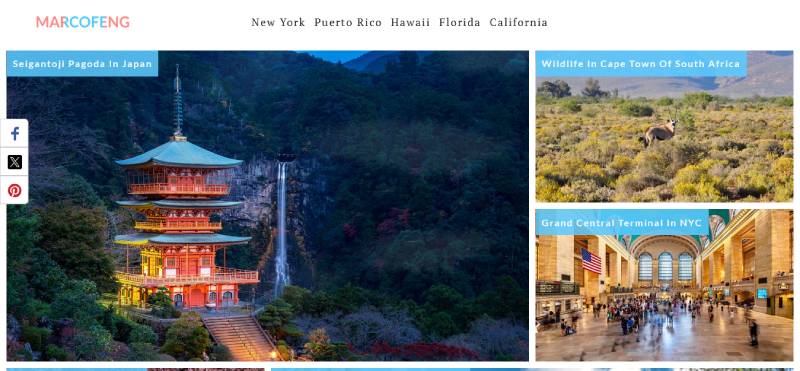
Enter Marco Feng’s digital dojo, and it’s a minimalist manifesto—a portfolio website that’s as crisp as linen. Marco’s personal website design wields web development skills like a katana, slicing through clutter with the elegance of typography and visual identity discipline. In the land of user interface design, Marco’s space is a meditative retreat that shows personal branding can shout in whispers.
Red Russak
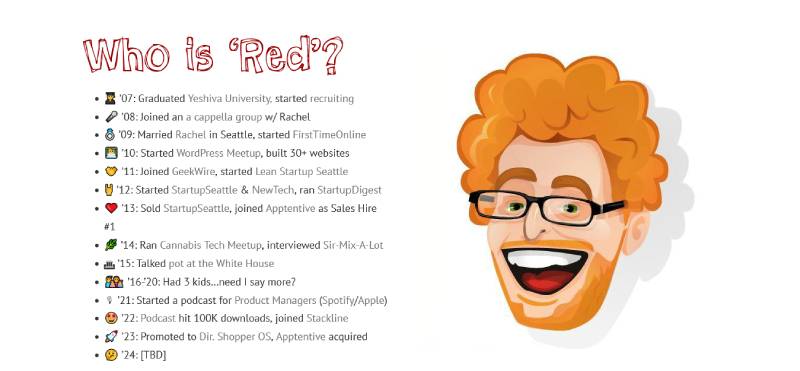
Pop over to Red Russak’s digital junction, and it’s the intersection of innovation and community—a web portfolio boasting a graphic design showcase that’s as welcoming as a neighborhood cookout. Red’s personal website design is the digital handshake—firm and friendly—bolstered by a network of ideas and personal branding that stands tall and true.
Nathaniel Koloc
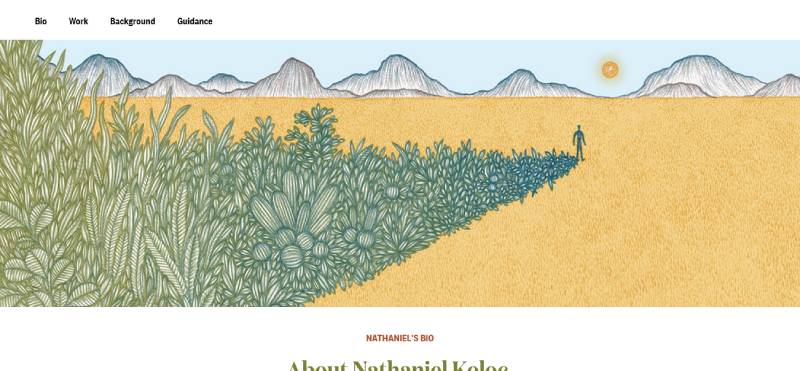
Navigate to Nathaniel Koloc’s online think tank, and you’ve entered a strategist’s stronghold—a web development stronghold marked by SEO optimization and personal branding fortitude. Here, responsive web design upholds a library of career insight, turning an online resume template into a consultatory monograph. Nathaniel’s personal website design isn’t just about work; it’s a showcase of legacy and impact.
FAQ on Personal Website Design
What elements are essential to include in a personal website design?
Your personal website should be a tailored suit, fitting you perfectly. Start with an intuitive navigation—no one likes a labyrinth. Add a dash of personal branding with a logo or tagline. Mix in responsive design for all devices, sprinkle some SEO techniques like keywords, and for the cherry on top, quality content that tells your story.
How do I ensure my personal website stands out?
Standing out is all about being you, but louder. Color palettes, fonts, and imagery must scream ‘unique.’ Infuse your personality into every click. User experience is king, so aim for interactive elements that engage. Remember, a memorable website is like your favorite coffee shop; one visit is never enough.
Is it necessary to have a blog on my personal website?
A blog isn’t mandatory, but it’s like having an ace up your sleeve. It’s your content management system on display, showing your expertise or passions. Regular posts boost your SEO and keep visitors returning. If you’ve got the words, a blog adds meaningful layers to your digital presence.
What role does mobile responsiveness play in personal website design?
Imagine this: your site on a smartphone, as beautiful as on a desktop. That’s mobile-responsive design. It’s crucial—people are glued to their phones. You want your online self to look great and function perfectly, no matter the screen size. It’s all about accessibility and not missing out on mobile-based visitors.
Can I design a personal website without knowing how to code?
Absolutely! You don’t need to be a coding guru. Dive into the world of website builders like Wix or Squarespace. They’re the stepping stones for a gorgeous site without the code headache. Drag-and-drop interfaces make it a breeze, blending DIY website templates with your personal flair.
What are the latest trends in personal website design?
Trends ebb and flow, but minimalism remains a classic—think clean lines and uncluttered spaces. Bold typography can make a statement, while asymmetric layouts give a modern vibe. Dynamic background videos elevate storytelling, while personal brand storytelling turns your site into a narrative.
How often should I update my personal website?
Keep your site fresh as your favorite playlist. Update whenever there’s something new—think new projects, milestones, or posts. Don’t let it gather digital dust; an update every few months should keep it polished and SEO-friendly. It’s your digital garden; tend to it regularly.
How can I make my personal website more SEO-friendly?
Think like Google’s best friend. Start with responsive design; make sure it’s mobile-friendly. Pepper in keywords that feel natural. Leverage blog posts as a secret weapon, and don’t forget meta descriptions and alt text for images. Fast loading speeds will not only please visitors but will win over search engines too.
What mistakes should I avoid when designing my personal website?
Oh, where to start? Overloading visitors with info is a no-go. Navigation should be intuitive, not a treasure hunt. Keep loading times quicker than making a cup of coffee. And please, align your website’s purpose with your design choices. Stay true to your audience and objectives.
How do I measure the success of my personal website?
Numbers tell tales. Track your visitor stats, bounce rate, and engagement. Tools like Google Analytics are your pals. See what works, what doesn’t, and pivot accordingly. Also, listen to feedback; sometimes, your visitors provide the best insights to tweak your site into a winner.
Conclusion
So, we’ve scrolled through a collage of personal website design examples, each with its own vibe. Think of them as templates, a starting point.
- Your turn? Take the plunge.
- Mix it up with your flavors—maybe dabble in some minimalism, or try on a bold typographic outfit.
The rule is: There are no rules.
Just make sure that user-friendliness is your North Star. Whether you’re a wizard with code or a newbie using a website builder, the endgame is that personal touch. It’s your digital handshake, remember?
Keep the SEO juice flowing and the updates regular—like your online diary, almost.
Seal it with your brand stamp, and let it speak for you when you’re not in the room. Each click should be an ‘aha’ moment for whoever lands on your page. Ready to start designing? Your future digital self awaits.
If you liked this article about personal website design, you should check out these articles also:
- The Coolest Fonts You Can Use On Your Websites
- Design Like A Pro: CSS Parallax Examples For Modern Websites
- The best graphic design portfolio examples (127 websites)